From Text to Task: How an iMessage AI Agent Can Run Project Workflows
Learn how an iMessage AI agent can capture tasks, check project status, update issues and route work through Jira, Linear, ClickUp and other project systems.
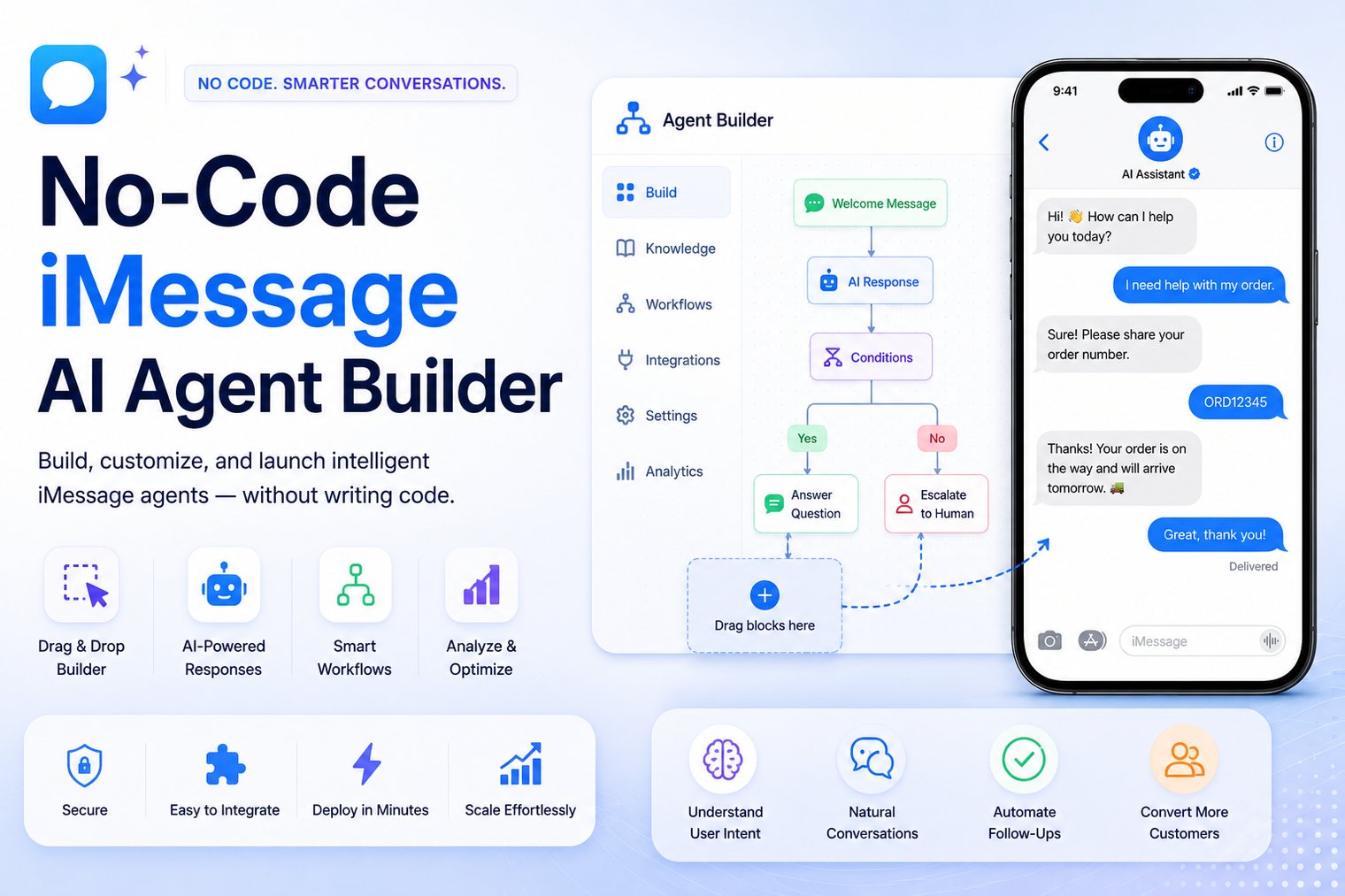
iMessage is one of the few channels where people still read every message. That is why more teams are building a no-code iMessage AI agent instead of relying on email or an app that nobody opens. With a no-code iMessage AI agent builder, you can launch a working assistant on iMessage without writing a single line of code, and without waiting on an engineering team to free up time.
A no-code iMessage AI agent is a conversational assistant that lives inside the Messages app on iPhone and Mac and answers, qualifies, or routes conversations automatically. Instead of coding a chatbot from scratch, you use a visual interface to describe what the agent should know, how it should respond, and when it should pass a conversation to a human. The agent connects to a real phone number, so texting it feels identical to texting a person.
This is different from a standard SMS bot. iMessage supports read receipts, typing indicators, tapbacks, and rich formatting, so an agent built for this channel can hold a conversation that feels closer to a normal text thread than a scripted form.
The word no-code refers to how the agent is built, not to what it can do. Behind the visual interface, the platform still handles the messaging protocol, the model that generates responses, and the logic that decides when to escalate a conversation. What changes is who can configure it. A marketing manager, an operations lead, or a small business owner can set up and adjust an agent without ever opening a code editor.
Text messages are read far faster than email, and iMessage carries an added layer of trust because it arrives as a blue bubble from a saved or recognizable number rather than an unfamiliar app notification. That trust translates into higher reply rates for reminders, order updates, and support questions.
Customers already have Messages installed. There is no app store listing to approve, no login screen, and no onboarding flow. This alone is a major reason companies choose to build an iMessage bot without code rather than commission a standalone mobile app.
The general process is similar across most platforms, though the exact screens will vary.
You start by connecting or provisioning a number that will send and receive iMessages on your behalf. Most no-code platforms handle the underlying messaging infrastructure so you never have to touch a server.
Upload FAQs, product details, policies, or a knowledge base. The builder converts this into responses the agent can pull from during a live conversation, so answers stay grounded in your actual information rather than generic guesses.
Define what the agent should never answer on its own, such as refunds above a certain amount or account cancellations, and set the point at which the conversation should hand off to a human teammate.
Send test messages from a real phone, review how the agent responds, adjust its tone or logic, then publish. Because nothing here requires code, changes can be made in minutes rather than through a development cycle.
Not every platform offers the same depth. Before picking one, compare these areas.
Platforms built specifically as a no-code AI agent builder for messaging tend to score higher on these points than general purpose chatbot tools that added iMessage support as an afterthought.
The table below compares building on a dedicated platform against hiring developers to build a custom integration.
| Factor | No-Code iMessage AI Agent Builder | Traditional Custom Development |
|---|---|---|
| Setup time | Hours to a few days | Weeks to months |
| Technical skill needed | None | Developers familiar with messaging APIs |
| Ongoing maintenance | Handled by the platform | Owned by your internal team |
| Cost structure | Subscription or usage based | Upfront build cost plus hosting and support |
| Customization ceiling | Good for most workflows, some limits | Unlimited, but slower to change |
An agent can answer order status, shipping, and return questions instantly, then escalate anything unusual to a support agent. This cuts response time for the majority of routine questions without adding headcount.
Service businesses use a texting agent to confirm, reschedule, or remind customers about appointments. Because the conversation happens in Messages, customers rarely miss the reminder the way they might miss an email.
A no-code texting agent can follow up with leads who filled out a form, answer basic pricing questions, and pass qualified conversations to a sales rep, keeping response time short during the window when leads are most likely to convert.
Confirm how the platform handles number provisioning, since some require an existing business number while others issue one for you. Ask how conversation data is stored and whether it meets your industry's compliance requirements. Review pricing carefully, since some tools charge per conversation while others charge a flat monthly rate. Finally, test the handoff experience yourself by pretending to be a difficult customer and seeing how gracefully the agent passes the thread to a human.
It also helps to ask how the platform measures agent performance after launch. A builder that only reports message volume will not tell you much about whether the agent is actually solving problems. Look for reporting on resolution rate, average response time, and how often a conversation needed a human to step in. Those numbers give you a clearer picture of whether the agent is saving time or just adding another channel to monitor.
Most platforms in this space use one of three pricing structures. A flat monthly subscription covers a set number of conversations or messages and suits teams with predictable volume. Usage based pricing charges per conversation or per message, which works well for teams that are still testing demand. Tiered pricing bundles a base fee with add-ons for extra seats, integrations, or advanced analytics. Before committing, estimate your expected monthly conversation volume and compare that figure against each plan's included allowance, since overage charges can add up quickly for high traffic accounts.
A no-code texting agent still needs a person on the other side of the process, even if that person is not writing code. Someone on your team should own the content the agent draws from, review conversation logs periodically, and update responses as policies change. Treat the first few weeks after launch as a tuning period. Read through real conversations, note where the agent gave a vague or incorrect answer, and adjust its instructions or knowledge base accordingly. Agents that are reviewed and refined regularly perform noticeably better than ones that are set up once and left alone.
A no-code iMessage AI agent gives a business the ability to meet customers in the channel they already trust, without the delays or cost of a custom build. If you are ready to see how this works in practice, you can start building your own agent builder workflow and have a working assistant live on iMessage in a fraction of the time a traditional development project would take.
No. Most no-code platforms handle the messaging infrastructure on their end, so you do not need a Mac, a dedicated device, or any server of your own.
Not exactly. A regular chatbot usually lives inside a website widget or a separate app. An iMessage agent operates inside the native Messages app, which tends to produce higher engagement since customers do not have to leave a familiar environment.
Most simple agents can be configured and published within a few hours. More complex workflows involving multiple handoff rules and integrations may take a few days to fully test.
Yes. Nearly every no-code platform lets you define specific triggers, such as certain keywords or topics, that automatically route the conversation to a live team member.
iMessage itself uses end-to-end encryption for message delivery. Beyond that, security depends on how the specific platform stores and processes conversation data, so it is worth reviewing their data handling policy before rolling out to customers.
A well configured agent will say it does not have the answer and offer to connect the customer with a team member, rather than guessing. This is usually one of the first behaviors worth testing before a launch, since a confident wrong answer does more damage than an honest handoff.
Connect any LLM to a real blue-bubble number and go live in minutes.
Deploy an Agent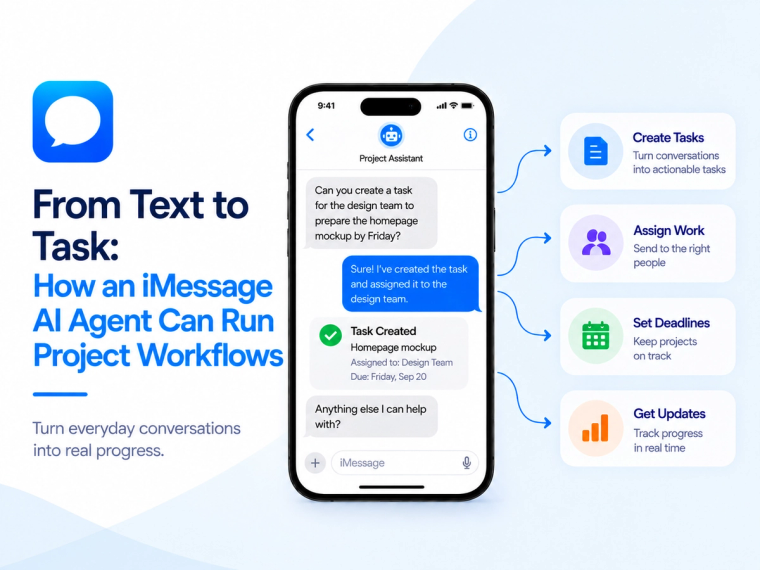
Learn how an iMessage AI agent can capture tasks, check project status, update issues and route work through Jira, Linear, ClickUp and other project systems.
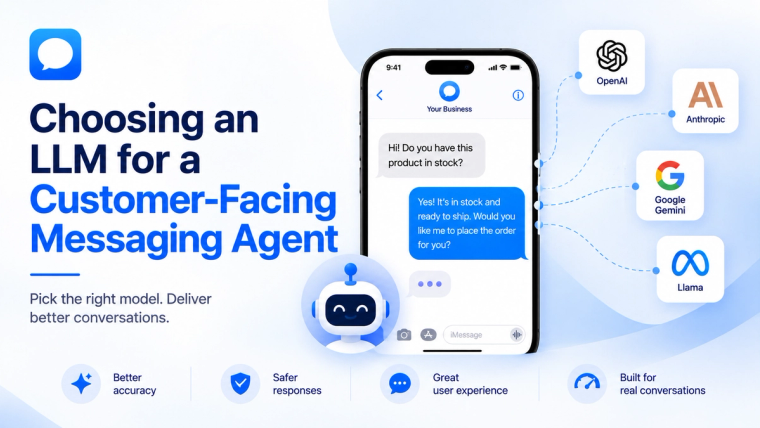
Learn how to evaluate an LLM for a customer-facing messaging agent based on response quality, speed, cost, safety, tools, memory and escalation needs.
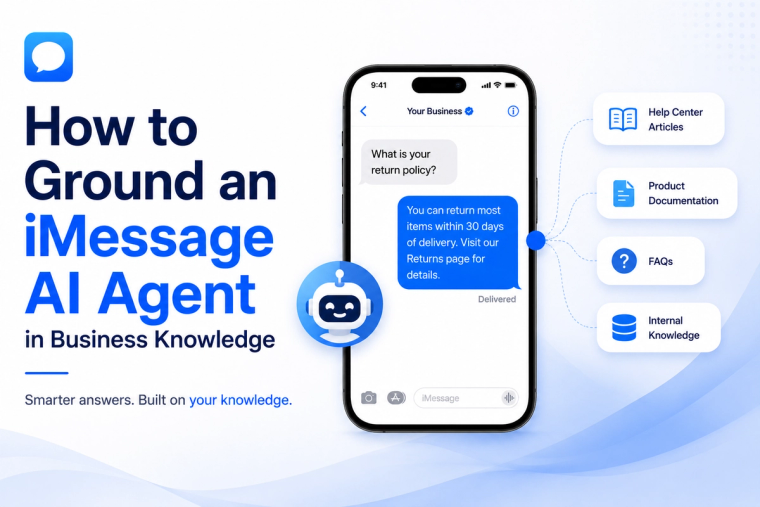
Learn how to prepare, structure, test and maintain business knowledge so an iMessage AI agent gives accurate answers and knows when not to guess.