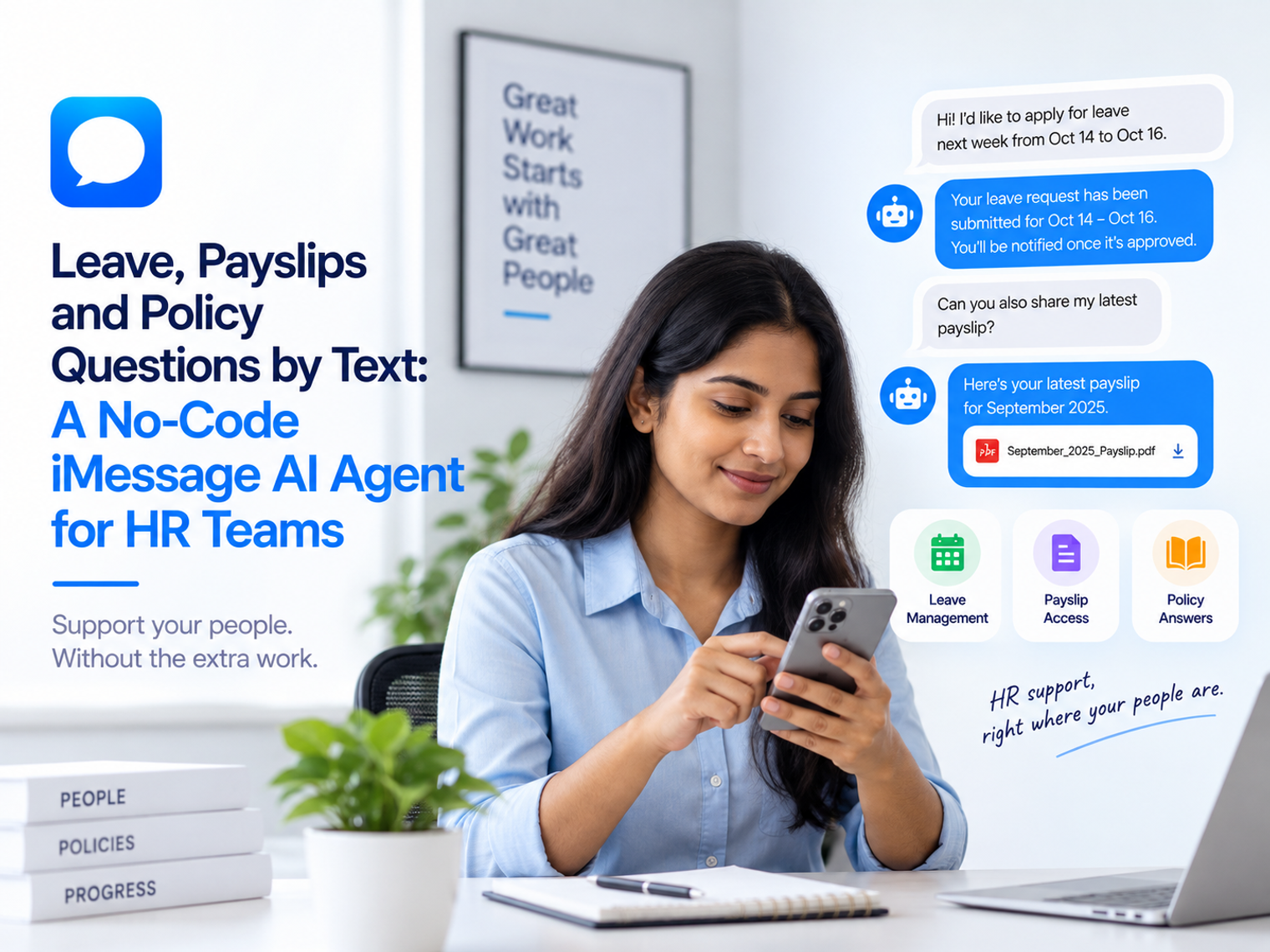
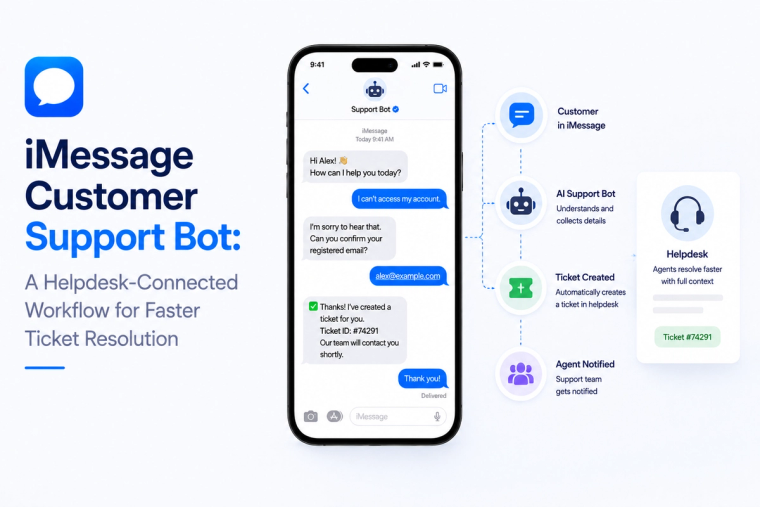
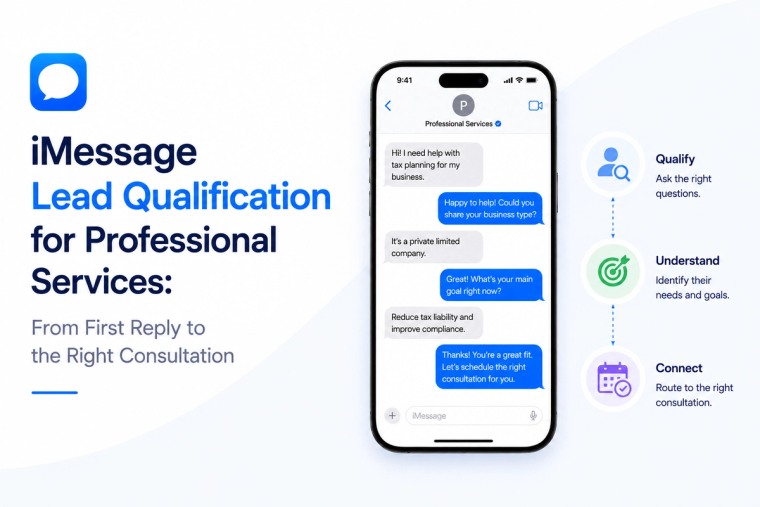
Leave, Payslips and Policy Questions by Text: A No-Code iMessage AI Agent for HR Teams
MessageBlue Team
Published Sep 16, 2026 · 9 min read
Key takeaways
A no-code iMessage AI agent can simplify HR self-service by letting employees access leave, payroll, policy, and onboarding information through text.
The agent should handle repetitive, factual queries while HR retains control over decisions, exceptions, disputes, and sensitive cases.
Personal employee data and HR policy information should use separate authoritative sources, with appropriate access controls for each.
Identity and authorization must be established before providing personal HR information, with employee-level connections preferred where appropriate.
A safe rollout should start with limited workflows, clear permissions, confirmation rules, escalation paths, and testing of edge cases.
Success should be measured through answer accuracy, faster resolution, fewer repetitive HR queries, appropriate escalation, and reduced corrections.
HR teams spend a surprising amount of time answering questions that already have a precise answer somewhere else. How much leave do I have left? Where is this month's payslip? When does the new policy take effect? Can I carry unused days forward? The problem is rarely that the information does not exist. The problem is that the employee has to find the right portal, remember a password, navigate the system, or send an email and wait.
A no-code iMessage AI agent can turn that repetitive search into a conversation. An employee texts a known number, the agent identifies what kind of question is being asked, reads the appropriate HR system or approved knowledge source, and returns only the information that person is allowed to receive.
This does not mean HR policy should be delegated to a model. Personal data, policy interpretation and high-impact actions need clear boundaries. The strongest design separates facts that can be retrieved automatically from decisions that still belong to HR or a manager.
Quick answer: what belongs in HR self-service over iMessage?
The best early workflows are repetitive, factual and easy to verify against an authoritative source. They reduce HR inbox volume without turning the agent into an uncontrolled decision maker.
· Personal facts: leave balance, approved time off, payroll dates or a link to a specific payslip, when the connected system permits it.
· Policy answers: handbook questions, benefits explanations, holiday rules and process guidance grounded in approved documents.
· Simple requests: start a leave request, find a form, update a low-risk preference or route a request to the right HR owner.
· Onboarding guidance: answer new-starter questions and point employees to the correct process or document.
· Manager visibility: return team-level information that the manager already has permission to see, such as who is scheduled off next week.
· Escalation: move exceptions, disputes, sensitive cases and judgment-heavy questions to a person with the context already attached.
The pattern is simple: retrieve what is known, explain what is approved, and escalate what requires judgment.
Why employee self-service still creates work for HR
Most organizations already have an HR system, a payroll platform, a handbook and an employee portal. Yet the HR inbox continues to receive the same questions. That happens because system availability is not the same as convenient access.
Deskless staff feel this gap most strongly. A warehouse employee, retail worker, field technician or hospitality team member may not spend the day at a laptop. Even office employees often ask a colleague before opening a portal because a one-line answer feels faster than navigating a system.
A text interface removes several small barriers at once. The employee already knows how to send a message. The agent can interpret the request in natural language. The connected system supplies the personal fact. The knowledge base supplies the policy. HR only becomes involved when the question leaves the safe automation boundary.
Separate personal HR data from policy knowledge
One of the most important design choices is to treat personal HR data and general policy content as different sources. They may appear in the same answer, but they have different access rules and update patterns.
For example, an employee might ask, “How much leave do I have left, and can I carry it into next year?” The first part should come from that employee's live record. The second part should come from the current policy. A reliable answer combines both without allowing the model to invent either one.
Identity is more important than the prompt
The most polished conversational experience is unsafe if the agent cannot establish who is asking. HR self-service must begin with identity and authorization, not tone of voice.
MessageBlue's current HR integration approach supports person-level connections where each employee connects their own account. That model is useful because the agent can inherit the access that employee already has. It does not need a new master permission that exposes the entire workforce to every conversation.
A shared company connection can still make sense for general information that is the same for everyone, such as a policy calendar or standard benefits document. The workflow should avoid using a shared connection for personal data unless the business has designed a separate, verified access layer around it.
Five HR workflows that benefit from a conversational interface
HR automation becomes easier to govern when the team defines specific jobs for the agent instead of asking it to “handle HR.” These five workflows are narrow enough to test and useful enough to matter.
1. Leave balance and time-off questions
An employee asks how much leave remains, what is already booked or whether a date conflicts with an existing request. The agent reads the employee's record and replies with the current figures. If the workflow allows requests, it can collect dates and submit the request after a clear confirmation.
Approval rules should stay in the HR system or the company's existing workflow. The agent can initiate and explain the process, but it should not quietly approve an exception just because the request sounds reasonable.
2. Payslip and payroll lookup
Employees often need the document, date or explanation that already exists in payroll. A conversational agent can help locate the relevant record, state when pay was processed, or provide the approved route to the payslip. If the employee asks why an amount changed, the agent should use available payroll detail only when the integration supports it and the explanation is safe to surface.
Disputes, suspected errors and questions involving deductions should have a clear escalation path. Payroll is a good example of where retrieval can be automated more broadly than judgment.
3. Policy questions from approved knowledge
A large share of HR questions are not personal at all. They are policy questions: notice periods, expense rules, carryover limits, parental leave process, travel guidance or where to find a form. These answers should be grounded in the current handbook or other approved source.
This is a strong use case for an AI agent over iMessage because the conversation can be short while the knowledge layer remains controlled. If two policies conflict or the answer depends on location, employment type or effective date, the agent should ask for the missing context or hand off rather than compressing uncertainty into a confident answer.
4. New-starter onboarding
New employees often ask many small questions that are individually easy but collectively expensive for HR: Where do I submit expenses? When is payday? Which system do we use for leave? Who approves equipment? A messaging agent can answer these questions privately and consistently using onboarding documents and connected systems.
The experience is especially helpful after the first week, when a new starter may hesitate to ask the same question again. The agent provides a low-friction place to check the process without replacing the human relationship with the manager or people team.
5. Manager questions about their own team
Managers may need quick operational context before scheduling work or approving a deadline. A permitted query such as “Who on my team is off next Thursday?” can be answered from the HR system if the manager already has access to that information.
The agent should not widen the manager's access. If the HR system would not show a salary, medical detail or record for that employee, the conversational layer should not expose it either.
Design every action around four control questions
Before enabling a new HR action, answer four questions. This creates a much stronger control model than relying on prompt wording alone.
· Who is asking? Define how the sender maps to an employee or manager identity.
· What source is authoritative? Decide whether the answer comes from the HR system, payroll, a handbook or a human case owner.
· What is the agent allowed to do? Separate read actions, low-risk submissions and high-impact changes.
· What happens when confidence is low? Specify the clarification or escalation path before the first real employee uses it.
When these questions are answered explicitly, the conversational model has less room to create accidental policy or privacy problems.
A safe automation boundary for HR
Employee request
Automation level
Agent behavior
Escalate when
“How much leave do I have?”
High
Read personal balance and return it
Identity cannot be verified
“What is the carryover rule?”
High
Answer from approved policy
Policy is missing or conflicting
“Submit leave for Oct 12.”
Medium
Collect details and confirm before submission
Request breaks policy or needs exception
“Why is my pay lower?”
Medium
Return available factual payroll detail
Explanation is incomplete or disputed
“Change my bank account.”
Low
Direct to approved secure process
Always if the workflow is not explicitly designed for it
“My manager is harassing me.”
Human
Acknowledge and route to the approved confidential process
Immediately
The last row illustrates an important principle. Some messages require empathy, policy and procedural care that should not be delegated to an automated workflow. The system can help the employee reach the right confidential route, but the case itself belongs with trained people.
Use the employee's existing access whenever possible
Person-level connections reduce the temptation to create a broad service account that can read everything. When each employee authenticates their own HR system, the agent can be scoped to the records and actions that person is already entitled to use.
The same idea applies to managers. Their questions should be evaluated against manager permissions, not against the fact that they hold a management title. Authorization should come from the connected system and the business's access model, not from conversational claims such as “I am the manager.”
Why a familiar number can improve adoption
Employee tools fail when they ask people to remember yet another place to go. A business can choose to automate an existing iMessage number so staff use a line they already recognize for people-team questions. That can simplify rollout because the contact is familiar even though the capabilities behind it are new.
A familiar number does not remove the need for identity checks. It only reduces interface friction. The workflow still needs to know whether the sender is the employee whose data is being requested, and sensitive actions should use whatever stronger verification the organization requires.
How to launch the first HR workflow without code
A no-code rollout should start narrow. Pick one personal-data use case and one policy use case, connect only the tools required for those jobs, and write explicit instructions for what the agent may retrieve, submit or escalate.
Connect the HR or payroll system that holds the live employee record.
Add the approved handbook or policy source used for general questions.
Define whether integrations are shared for the bot or connected individually by employees.
Write clear rules for personal data, manager data and actions that require confirmation.
Create a human escalation route for disputes, exceptions and sensitive cases.
Test with duplicate names, changed employment status, missing permissions, stale policy documents and failed tool calls.
Pilot with one employee group before expanding to more policies and actions.
This approach keeps the first version understandable. HR can see exactly which questions are being automated and where the agent stops.
Enterprise teams need a deployment conversation too
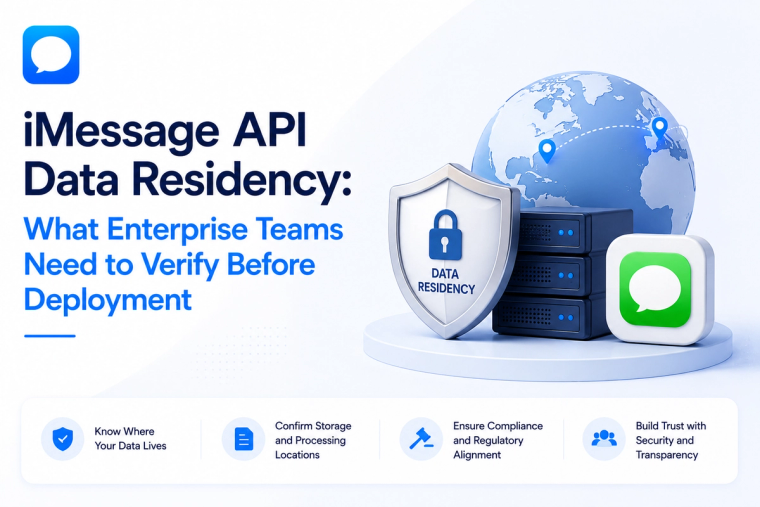
HR data can be highly sensitive, so larger organizations may need to evaluate deployment boundaries, retention, identity, auditability and key management before moving employee workflows into production. Those questions are architectural, not merely conversational.
MessageBlue offers an enterprise iMessage API path for organizations that need private deployment options and tighter infrastructure control. The right configuration depends on the organization's own security, legal and HR requirements, so teams should treat architecture and policy as shared responsibilities rather than assuming a messaging feature makes the overall workflow compliant by default.
What to measure after launch
The value of HR self-service should show up in faster answers and fewer repetitive handoffs, not in message volume alone.
Percentage of common questions resolved from an authoritative source without HR intervention.
Average time from employee question to verified answer.
Escalation rate by question type.
Number of answers corrected by HR after automation.
Employee usage across office and deskless groups.
Reduction in repeat questions for the same policy or personal-data lookup.
High usage with frequent corrections is a warning sign. Moderate usage with accurate retrieval and fewer repetitive tickets may be a stronger outcome.
Where MessageBlue fits
MessageBlue's current HR and payroll integration catalog includes systems such as BambooHR, Rippling, Deel, Workday, Namely, HiBob and Remote. The platform can combine connected business data with uploaded knowledge so an employee question can use both the live record and the approved policy source.
That makes business iMessage automation useful for more than customer conversations. The same messaging infrastructure can support internal employee workflows, while the organization chooses the model, connection pattern, permissions and escalation rules that fit its operating environment.
Make HR information easier to reach without making it less controlled
Employee self-service works when the interface becomes simpler but the source of truth stays rigorous. The employee should be able to ask a natural question, receive a verified answer from the correct system, and understand what to do next without navigating several portals.
A no-code iMessage agent can provide that front door when the workflow is narrow, permission-aware and grounded in approved data. HR keeps ownership of policy and exceptions. The connected systems keep ownership of personal records. The conversation simply gives employees a faster path to the information they are already entitled to use.
Frequently asked questions
Can an iMessage HR agent show an employee their leave balance?
Yes, when the HR system is connected and the workflow can identify and authorize the employee. The answer should come from the live record rather than from a general knowledge base.
Can the agent answer policy questions too?
Yes. Policy questions can be grounded in the current handbook or another approved source. If policies vary by location, employment type or effective date, the agent should gather that context before answering.
Should employees connect their own HR accounts?
For personal information, user-level connections are often the cleaner model because the agent can inherit the access each employee already has. A shared connection can still be useful for company-wide information that is not personal.
Can the agent approve leave or change payroll details?
Only if the connected system supports the action and the organization deliberately allows it. High-impact changes should use confirmation, existing approval rules and additional verification where appropriate. Some actions are better left in the secure HR or payroll workflow.
Is this only for large companies?
No. Smaller teams may use it to reduce repeated policy and onboarding questions, while larger organizations may focus on deskless access, permission-aware retrieval and enterprise deployment controls.