Leave, Payslips and Policy Questions by Text: A No-Code iMessage AI Agent for HR Teams
See how a no-code iMessage AI agent can answer leave, payslip, policy and onboarding questions using live HR data, approved knowledge and clear access controls.
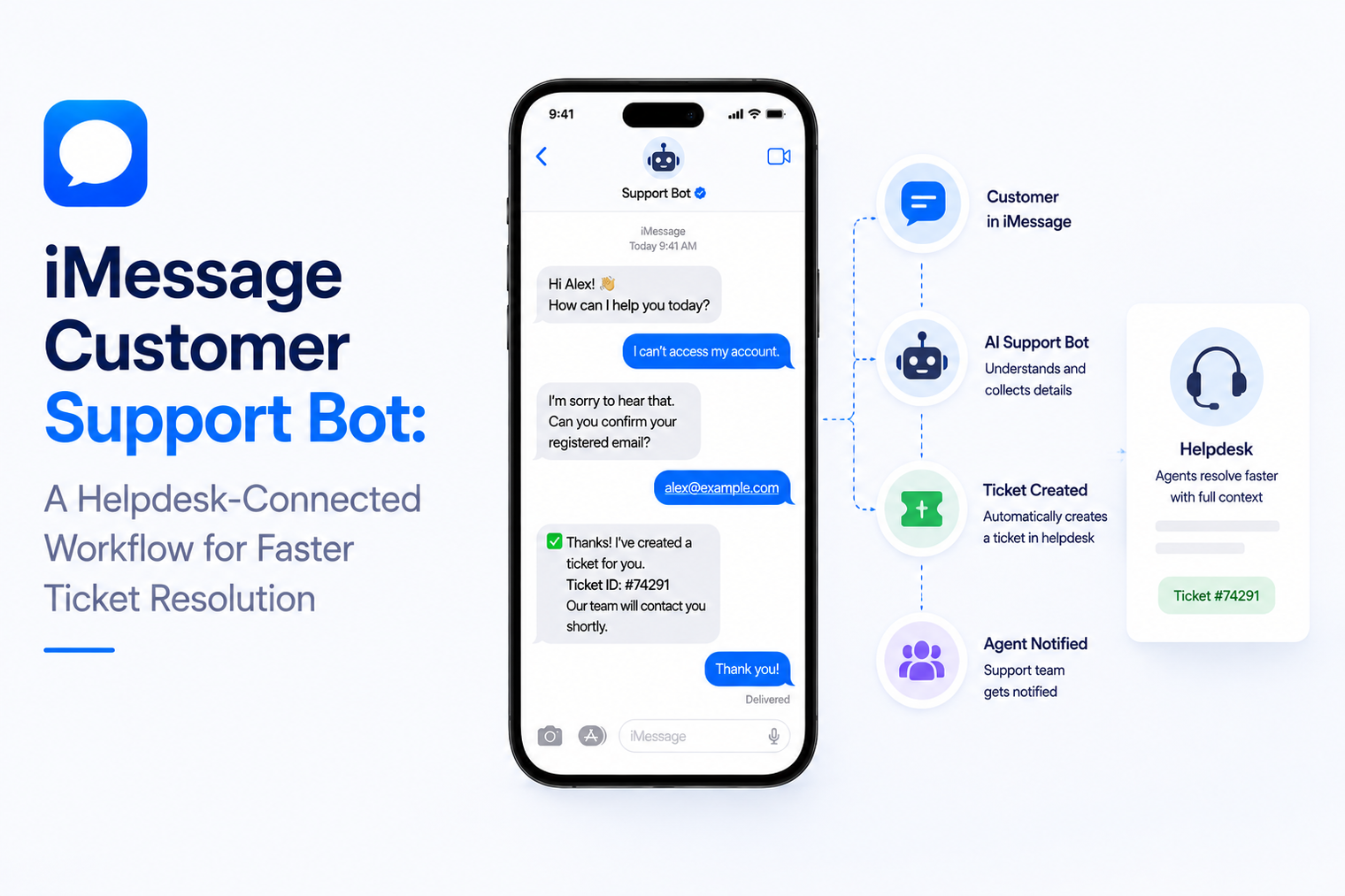
Support teams often automate the easiest part of customer service and leave the hard operational steps untouched. A bot can answer office hours or return-policy questions, but the moment a customer asks “What is happening with ticket 4821?” the workflow falls back to a portal, a login, an email chain, or a human who has to search the helpdesk manually.
A useful AI support agent on iMessage should do more than produce friendly text. It should be connected to the helpdesk system of record so it can identify the person, find the correct ticket, read current status, create structured cases when needed, and transfer complex issues with the conversation attached.
This guide focuses on that operational design. The objective is not to remove humans from support. It is to remove unnecessary steps between a customer question and the correct support action.
The fastest way to create support chaos is to let the messaging agent maintain its own version of ticket status. If the helpdesk says a case is waiting on engineering, the iMessage conversation should not say it is resolved because the language model inferred something from an old message.
Treat the helpdesk as the source of operational truth. The agent can interpret a customer request and explain the answer in plain language, but ticket identity, status, priority, assignee, SLA state and resolution notes should come from the connected system whenever those facts matter.
That one decision changes the architecture. The agent becomes an interface to support operations instead of a chatbot sitting beside support operations.
A helpdesk-connected iMessage workflow can be designed around four jobs. Keeping these jobs separate makes permissions, testing and escalation much clearer.
| Job | Typical customer request | Required system behavior |
|---|---|---|
| Status lookup | “Any update on my ticket?” | Match customer, find ticket, read current status |
| Guided resolution | “How do I fix this?” | Use approved knowledge and ticket context |
| Ticket action | “Please raise this” or “reopen it” | Create or update a structured helpdesk record |
Customers should not have to search their email for a reference number if the system can safely identify the relevant case from known customer data. The workflow can use the sender identity, account context and recent ticket history to narrow the match. If there is only one open case, the agent may be able to answer immediately. If several cases exist, it should present a short choice rather than guess.
The response should translate helpdesk status into customer language. “Pending external dependency” may be accurate internally, but “We are waiting for the carrier to confirm the line test” is more useful. The facts still come from the helpdesk. The agent improves clarity, not truth.
Many tickets can be resolved with a known procedure, but the procedure should come from a maintained source. The agent can combine current ticket context with approved troubleshooting steps and ask one diagnostic question at a time.
This is a good fit for a no-code iMessage AI agent when the workflow can be grounded in business knowledge and connected tools. The support team can define what the agent is allowed to answer, what it must verify, and which actions require a human.
Avoid long troubleshooting dumps. Messaging works best as a sequence: verify the symptom, provide the next safe step, ask for the result, then decide whether to continue or create a ticket.
A weak integration forwards the entire conversation to a support queue and expects an agent to figure it out. A strong integration turns the conversation into a structured ticket. The required fields depend on the helpdesk, but the principle is universal.
· Requester identity and account.
· Issue category and affected product or service.
· Short problem summary in the customer’s language.
· Steps already tried, when relevant.
· Urgency signals that are supported by policy.
· Full conversation context or a reference to it.
The bot should tell the customer what was created and what happens next. If the helpdesk returns a case number, owner or expected response window, the agent can pass that back as long as those fields are reliable and current.
Customers become frustrated when the automated system asks questions, then the human asks the same questions again. A proper handoff packages the work already completed. The human should see the customer identity, matched ticket, recent helpdesk history, conversation summary, troubleshooting attempted and the reason automation stopped.
This is different from a generic “talk to a human” button. The objective is continuity. The messaging thread is the front door, while the helpdesk remains the workbench for the support team.
Most support errors are not language errors. They are identity errors. The bot found the wrong customer, the wrong order, or the wrong ticket. Before writing a friendly prompt, define how a sender maps to an account and what happens when the match is uncertain.
Possible signals include the phone number already stored on the account, a one-time verification step, a customer-provided email address, or another identifier appropriate to the business. The exact method depends on the sensitivity of the data. A password-reset case and a restaurant booking should not use the same verification standard.
When the customer has multiple open cases, do not expose more information than needed. Ask a narrow question such as “Is this about the billing issue or the login issue?” rather than listing sensitive ticket titles in full.
Every helpdesk has states such as new, open, pending, waiting on customer, escalated and resolved. The agent needs a deliberate mapping from those internal states to what it says and what it is allowed to do.
| Helpdesk state | Customer-facing behavior | Allowed bot action |
|---|---|---|
| New / Open | Acknowledge ownership and current work | Read status, add permitted details |
| Waiting on customer | Ask for the missing information | Capture reply and update ticket |
| Pending external team | Explain the dependency without inventing ETA | Read latest note, avoid false promises |
| Resolved | State resolution and ask whether the issue is actually fixed | Close conversation or request reopen |
| Escalated | Confirm that a person or specialist team owns the case | Stop autonomous troubleshooting unless policy allows |
This mapping prevents the model from treating a support ticket like a free-form conversation. It also makes QA possible because each state has expected behavior.
A support agent usually combines two types of intelligence. Connected tools provide facts and actions. The language model interprets what the customer means, selects the right tool, and explains the result.
That separation matters. The model should not guess whether a ticket is open. It should call the helpdesk. It should not invent an order status. It should call the relevant system. It should not promise a refund unless the workflow has permission and the business rules allow it.
Teams that need custom orchestration can use an iMessage AI agent as the conversational layer while keeping retrieval, policy and business logic in their own application or agent framework.
Two-way support means every reply can change what happens next. A customer saying “that fixed it” may close the troubleshooting loop. “Still broken” may create or escalate a case. A photo may become an attachment. “Can someone call me?” may trigger a human task.
A production iMessage webhook lets the support system receive inbound message events and connect them to application logic. The handler should verify the event, record it safely, protect against duplicate processing, and decide whether the next step belongs to automation or a person.
The key design is not “reply instantly at all costs.” It is “process every reply reliably and choose the correct next action.”
Support teams should create an action policy. Reading a public help article is low risk. Resetting an account credential, changing an address, issuing a refund or closing a high-severity incident can be much more sensitive.
| Action class | Action class | Recommended control |
|---|---|---|
| Read-only | Ticket status, approved article, service hours | Automate when identity rules are satisfied |
| Low-risk write | Add customer note, attach detail, create ordinary ticket | Automate with clear confirmation |
| Sensitive write | Refund, credential change, account ownership change | Require stronger verification or human approval |
| High-impact operational | Close severe incident, change priority policy, override SLA | Keep human-controlled unless explicitly approved |
The policy should be encoded in the workflow, not left as a suggestion inside the prompt.
A helpdesk-connected agent is not limited to external customers. Internal IT teams face the same friction. Employees avoid the service portal, forget categories and submit vague emails. A text conversation can collect the problem, run approved troubleshooting, create a structured ticket and return the case reference.
The main difference is identity and permissions. Internal users may already have directory identities and device context. External customers may require account verification. The underlying workflow pattern remains similar: identify, understand, retrieve, act, confirm, escalate.
If customers already text a support or service number, forcing them to move to a new number just for automation can add friction. MessageBlue supports workflows where teams bring your own iMessage number and add automation behind the line they already use. This can preserve continuity, but the team still needs clear rules for when a human is actively replying and when the agent owns the next turn.
A support agent should be tested like an operational system, not only like a conversation demo. The most important failures are often boring edge cases that appear under real load.
· Two customers share a phone number or one account has several contacts.
· A customer refers to “my ticket” but has several open cases.
· The helpdesk API is unavailable or returns stale data.
· A ticket is resolved in the helpdesk while the customer is still replying.
· The same inbound event is delivered more than once.
· The model suggests an action that the connected tool is not authorized to perform.
· A human begins replying while automation still thinks it owns the thread.
· The customer asks for information belonging to another account.
Each case needs a deterministic fallback. “I cannot verify that right now, so I am handing this to support” is better than an invented answer.
High message volume does not prove successful support. The useful metrics show whether the workflow resolves routine work faster and sends humans better cases.
· Percentage of status questions answered from live ticket data.
· Percentage of new cases created with all required fields.
· Repeat-question rate after human handoff.
· Automation-to-human escalation rate by issue type.
· Reopen rate after the bot reports a resolution.
· Time from customer message to correct support action.
The goal is not to keep customers inside automation. The goal is to get each conversation to the correct outcome with the least avoidable friction.
1. Choose one high-volume support intent, such as ticket status, before attempting broad automation.
2. Define how a sender is matched to an account and how uncertainty is handled.
3. Map helpdesk states to customer-facing language and allowed actions.
4. Connect only the read and write tools required for the first workflow.
5. Define escalation triggers and the context package sent to the human team.
6. Test stale records, duplicate events, missing identity and unavailable integrations.
7. Pilot with real support staff reviewing outcomes before expanding to more intents.
MessageBlue currently supports helpdesk-connected iMessage agents with integrations such as ServiceNow, Jira Service Desk and HubSpot. Teams can use the no-code path for bounded support workflows or connect custom logic through APIs and webhooks when they need more control. The platform can also run on an existing iMessage number, which is useful when customers already recognize the support line.
The important product choice is not whether to “add AI to support.” It is which support actions should become available inside a text thread, which facts must always come from the helpdesk, and where human ownership begins.
The best iMessage support experience feels simple to the customer because the complexity is handled behind the scenes. They text a question. The system identifies the right account, reads the right record, performs only permitted actions, and keeps the conversation moving. When the issue needs a person, the person receives context instead of a blank ticket.
That is the real promise of a helpdesk-connected support agent: fewer portals for the customer, fewer repetitive lookups for the team, and a tighter connection between the conversation and the system where support work actually gets done.
It is a support workflow that lets customers interact with a business over iMessage. A stronger version is connected to the company helpdesk so it can read real ticket data, create or update cases, use approved knowledge and escalate when needed.
Yes, when it is connected to the helpdesk and the customer has been matched to the correct account or case. The agent should read the live record rather than infer status from old conversation text.
No. Define an action policy. Routine status checks and approved troubleshooting may be automated, while sensitive account changes, unclear identity, complex exceptions and high-impact actions should move to a person or require stronger approval.
The transfer should include the customer identity, matched ticket, summary of the issue, steps already tried, relevant tool results and the reason for escalation. The human should not have to restart discovery from zero.
Yes, when the platform supports existing-number automation. The implementation should include ownership rules so the AI agent and a human do not respond to the same message at the same time.
Connect any LLM to a real blue-bubble number and go live in minutes.
Deploy an Agent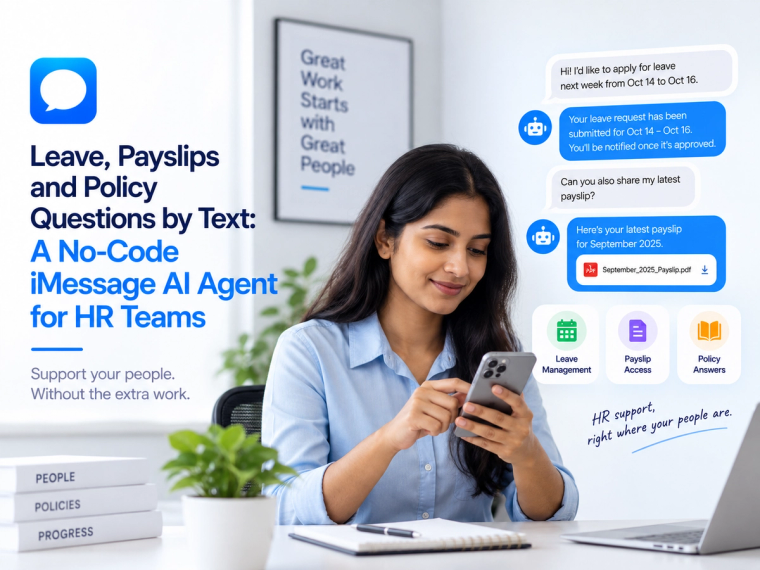
See how a no-code iMessage AI agent can answer leave, payslip, policy and onboarding questions using live HR data, approved knowledge and clear access controls.
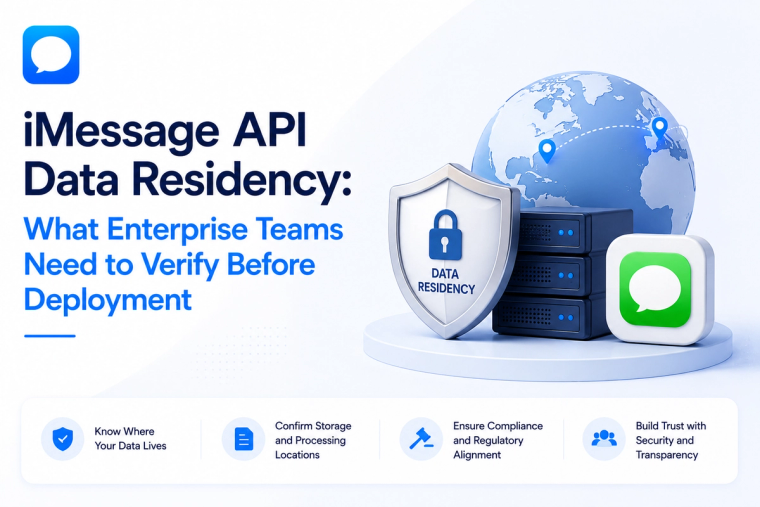
Evaluate iMessage API data residency across message content, logs, backups, keys, model providers, integrations and deployment boundaries before enterprise rollout.
Build an iMessage lead qualification workflow for professional services that captures intent, routes prospects, updates the CRM and books the right next step.