Leave, Payslips and Policy Questions by Text: A No-Code iMessage AI Agent for HR Teams
See how a no-code iMessage AI agent can answer leave, payslip, policy and onboarding questions using live HR data, approved knowledge and clear access controls.

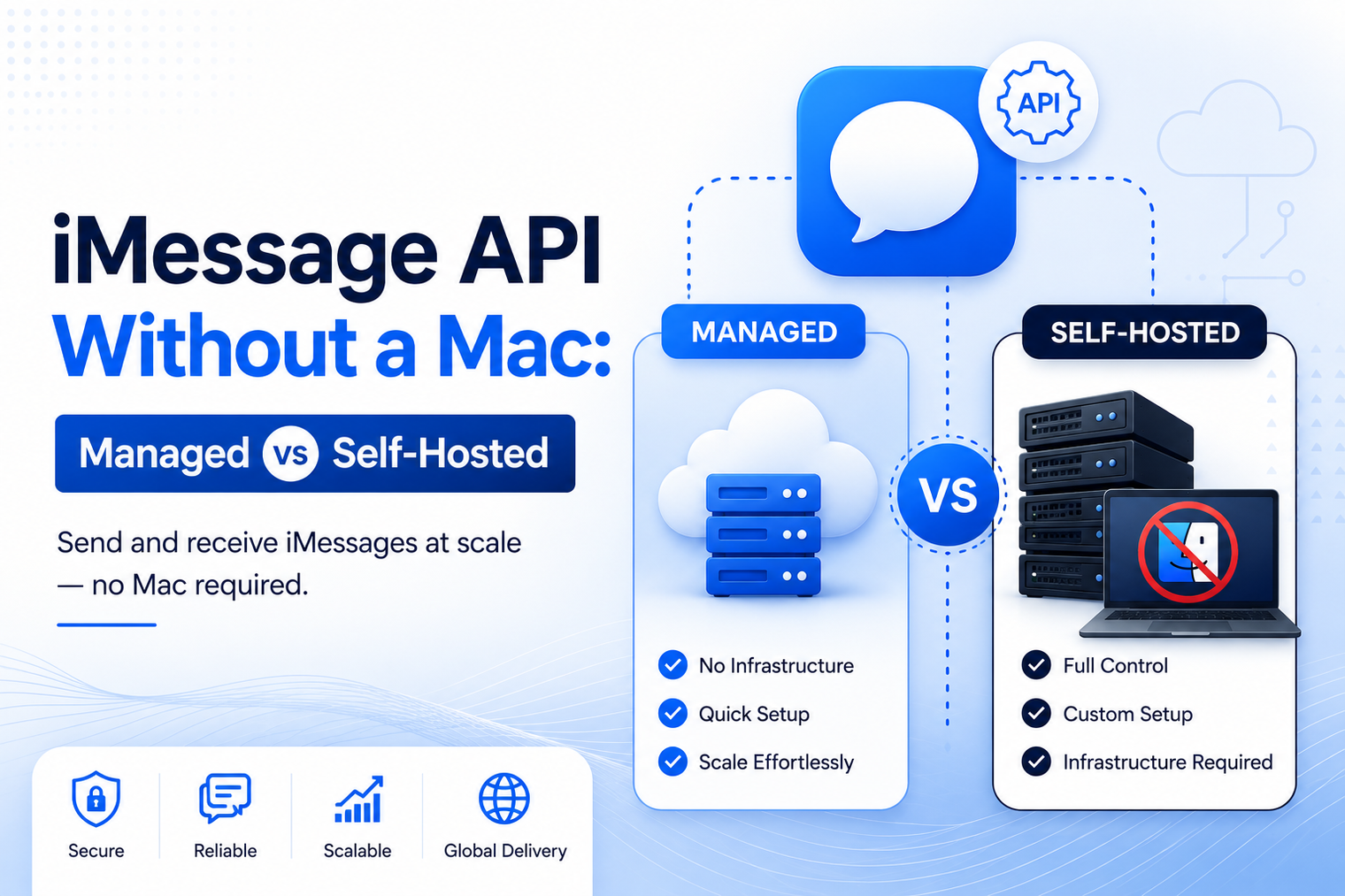
• An iMessage API without a Mac lets your application use a hosted messaging layer without owning or maintaining a Mac relay.
• DIY Mac setups can be useful for learning, but production reliability requires much more than a send script.
• Managed infrastructure shifts device operations, recovery, monitoring and event delivery to a provider.
• Self-hosting offers control, but the real cost includes hardware, networking, upgrades, observability and on-call work.
• The best choice depends on risk, volume, security boundaries, engineering capacity and the cost of message failure.
A prototype that sends iMessages from a spare Mac can feel surprisingly effective. The machine is already available, the first automation works, and the team can prove that customers will respond. The problem appears later, when that personal setup is expected to behave like production infrastructure.
A computer under a desk is not automatically a messaging platform. It needs power, network access, operating system maintenance, session recovery, monitoring, queues, retries, logs, access controls and someone who will respond when it stops working. An iMessage API without a Mac usually means removing those responsibilities from the customer application, not pretending that the Apple messaging ecosystem has disappeared.
The phrase usually describes a developer experience in which your backend calls an HTTP API or SDK and receives events through webhooks. Your team does not keep a Mac online, sign in remotely to repair it, or build a device-control layer around the Messages application.
With a managed iMessage API for developers, the customer application focuses on business logic. It decides when to send, how to interpret a reply and which action should follow. The provider operates the messaging infrastructure, number layer and event-delivery path.
This wording needs one important qualification. Apple documents iMessage apps, extensions and Messages for Business as distinct developer experiences. A third-party iMessage API should not be described as an official Apple server API or as an Apple-endorsed product. The value comes from the provider-managed infrastructure and the application interface it exposes.
A local Mac relay is attractive because it lowers the cost of experimentation. A developer can connect a personal device, observe a conversation and validate a workflow before making a larger infrastructure decision. For hobby projects, internal demos and short-lived proofs of concept, that may be enough.
The difficulty is that early success hides operational assumptions. The workflow may depend on one user session, one network connection, one device state and one person who understands how the parts fit together. When customers begin depending on the messages, those assumptions become production risks.
| Approach | What your team operates | Best fit | Main tradeoff |
|---|---|---|---|
| DIY Mac relay | Mac hardware, Apple account state, local bridge, network, updates, monitoring and recovery. | Experiments, personal tools and low-risk internal workflows. | Low entry cost, but high operational fragility and limited support. |
| Open-source self-hosting | The relay plus server components, authentication, storage, deployment, backups and upgrades. | Technical teams that accept maintenance in exchange for control. | More flexibility, but your team owns the complete failure surface. |
| Managed iMessage API | Your application, business logic, data model and workflow policies. | Customer-facing products, AI agents and revenue workflows that need production support. | Recurring vendor cost and dependency, offset by reduced infrastructure burden. |
| Private managed or BYOC deployment | Business logic and security policy, with infrastructure boundaries agreed with the provider. | Regulated or security-focused organizations that need isolation and residency controls. | More planning and procurement, but stronger control than a shared managed service. |
A product event, employee action or scheduled job creates an outbound message request. The backend authenticates to the provider and supplies the recipient, content, sending identity and any supported metadata.
The application does not need to know which device is active or how the provider maintains the underlying channel. That infrastructure detail stays behind the API boundary.
The provider receives the request, applies platform controls and attempts delivery through the supported channel. Your system receives a provider message identifier that can be mapped to the internal customer or workflow record.
A production integration should treat acceptance and delivery as separate states. The first API response confirms that the request was received, while later events describe what happened next.
Inbound replies and supported delivery events are pushed to your endpoint. Your handler verifies the request, records the event and places longer processing on a queue.
Retry behavior matters because an endpoint can be unavailable for a few seconds even when the overall application is healthy. A managed service should make temporary failures observable and recoverable rather than silently dropping the conversation.
A reply can trigger a database lookup, notify a representative, update a CRM, run an AI model or ask the customer a follow-up question. The value is not the message alone. It is the workflow that begins when the message arrives.
Teams building conversational products can connect this transport layer to AI agents that live in iMessage, while keeping model choice and business logic in their own application.
A mature implementation tracks API errors, event lag, duplicate events, failed replies, queue depth and unresolved conversations. This is the part most prototypes do not include, even though it determines whether the workflow remains trustworthy after launch.
The question is not simply whether your team can host the software. It is whether operating that software is a good use of engineering time and whether the organization can tolerate the failure modes.
Ask what happens after a power loss, network interruption, operating system update, expired session or process crash. A production service needs automatic recovery, health checks, queues and a documented escalation path.
Outbound sending may look healthy while inbound events are failing. Evaluate signatures, retries, replay, ordering expectations and idempotency guidance. A missed reply can be more damaging than a delayed outbound message.
Logs should connect an internal request to the provider message, channel state and inbound response. Without that chain, support teams cannot explain what happened to a customer conversation.
Review credential storage, access control, data retention, encryption, auditability and network exposure. Self-hosting does not automatically create security. It transfers security implementation to your team.
Volume changes the architecture. More lines, concurrent conversations and richer media create queue, storage and throughput requirements that a single-machine design may not handle gracefully.
Clarify who applies updates, tests compatibility, rotates credentials, replaces hardware and handles incidents outside business hours. An unassigned responsibility usually becomes a surprise during an outage.
Compare subscription fees with hardware, spare devices, hosting, engineering hours, monitoring tools and on-call time. The cheapest prototype is not always the least expensive production system.
Managed infrastructure creates dependency on a provider. Evaluate data access, contract terms, deployment options, support quality and the ability to move or isolate the workload if requirements change.
A self-hosted relay often looks inexpensive because the visible cost is a device that the team already owns. The missing costs appear in small pieces, then accumulate:
• A spare machine and replacement plan when the primary hardware fails.
• Stable power, wired networking, remote access and physical security.
• Monitoring for process health, message backlog, account state and disk capacity.
• A queue that prevents a temporary channel problem from losing customer work.
• Retry and idempotency logic for outbound requests and inbound events.
• Log retention, searchable correlation IDs and customer-support tooling.
• Operating system updates, application compatibility checks and controlled rollbacks.
• Credential rotation, role-based access and an incident-response owner.
None of these items is impossible. The point is that the team should count them before deciding that self-hosting is free.
Self-hosting is reasonable when the workflow is low risk, the team values control more than convenience and the organization already has the operational discipline to maintain the stack. It can also be useful for research, internal tools or deployments where a small group understands the limitations and accepts manual recovery.
Enterprise requirements create a different form of self-hosting. A regulated organization may need the messaging stack inside its cloud account, private network or datacenter. That is not the same as putting an informal relay on a desk. It requires controlled deployment, identity, audit, key management, retention and support.
MessageBlue describes private, BYOC and self-hosted iMessage deployments for teams that need infrastructure isolation or data-residency controls while retaining a supported platform model.
• The application can send and receive through documented APIs and webhooks.
• Message acceptance, delivery, failure and reply states are stored separately.
• Webhook signatures, retries, duplicate events and replay have been tested.
• The system remains safe when the provider or your own endpoint is temporarily unavailable.
• Every conversation can be traced with internal and provider identifiers.
• Alerts identify failed sends, event lag, backlog growth and unresolved handoffs.
• Credentials are server-side, scoped and rotated through a defined process.
• The number model, supported channels and fallback behavior are understood before launch.
• Consent, sender identity, message frequency and opt-out handling match the use case.
• The team knows who owns incidents and what the provider support path includes.
MessageBlue positions itself as the delivery and event layer between a product and an iMessage conversation. The customer application retains the business rules, customer context, AI behavior and operational decisions. MessageBlue handles the programmable number layer, API access and supported conversation events.
For a standard managed implementation, the practical goal is to let developers ship a two-way workflow without maintaining a Mac relay. For organizations with stricter boundaries, the enterprise path adds private managed, customer-cloud and on-premises deployment options. Product details such as supported SDKs, rich-message formats and fallback coverage should be confirmed in the live documentation before publication or implementation.
Teams comparing approaches can also review the current iMessage API comparison guide and evaluate each option against reliability, operational ownership, number support and deployment control.
A Mac-based prototype can prove that an idea works. It does not prove that the workflow is ready for customers. Before launch, decide who owns reliability, event delivery, monitoring, upgrades, security and recovery. That decision is more important than the first successful message.
Explore the MessageBlue iMessage API to build a two-way messaging workflow without operating your own Mac relay.
External references reviewed:
• Apple Developer: iMessage Apps and Stickers
• Apple Support: What is the difference between iMessage, RCS and SMS/MMS?
• MessageBlue API, AI Agents, Enterprise and comparison pages
Yes, when you use a managed provider that exposes messaging through an API. Your backend calls the service and receives events through webhooks, while the provider operates the underlying infrastructure.
Apple publicly documents iMessage apps and extensions, plus Messages for Business. These are different from a general backend API for automating standard iMessage conversations from any application.
Not automatically. Reliability depends on architecture, operations and support. A mature managed provider can remove many device-level risks, while a well-run self-hosted environment can be reliable if the team invests in monitoring, redundancy and recovery.
No. Self-hosting gives the organization more control, but privacy depends on access controls, network design, encryption, retention, logging and operational discipline. A poorly secured private deployment can still create serious risk.
Some platforms support SMS or RCS fallback under defined conditions. Confirm geographic coverage, carrier behavior, media limitations and how the API reports the channel used.
A managed API is often the fastest path when the team wants to focus on prompts, tools, retrieval and customer experience. Private deployment may be appropriate when the agent handles sensitive information or must operate inside a controlled environment.
Connect any LLM to a real blue-bubble number and go live in minutes.
Deploy an Agent
See how a no-code iMessage AI agent can answer leave, payslip, policy and onboarding questions using live HR data, approved knowledge and clear access controls.
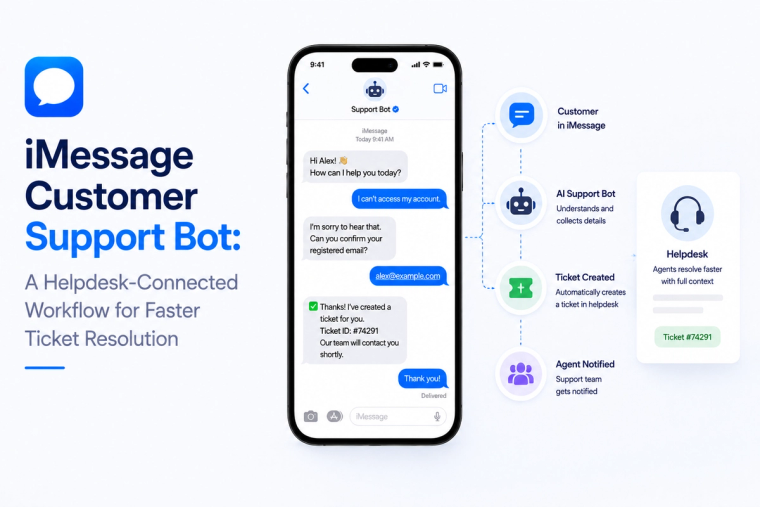
Design an iMessage customer support bot that reads helpdesk data, creates tickets, handles status questions and escalates complex cases with full conversation context.
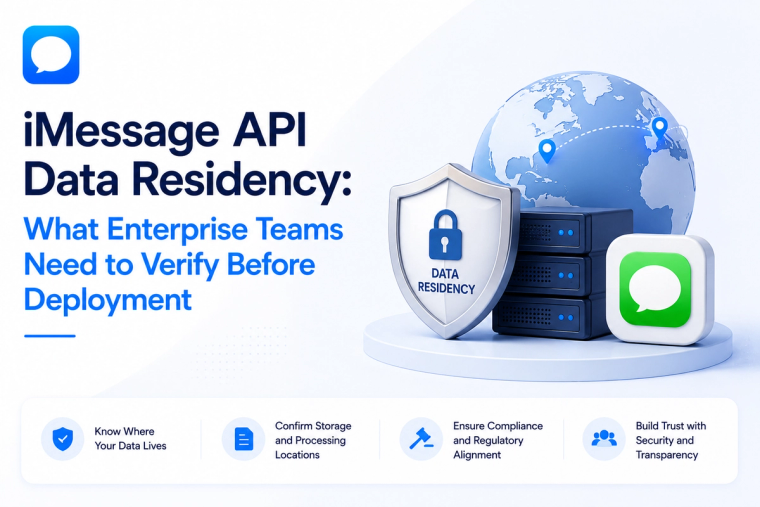
Evaluate iMessage API data residency across message content, logs, backups, keys, model providers, integrations and deployment boundaries before enterprise rollout.