Leave, Payslips and Policy Questions by Text: A No-Code iMessage AI Agent for HR Teams
See how a no-code iMessage AI agent can answer leave, payslip, policy and onboarding questions using live HR data, approved knowledge and clear access controls.
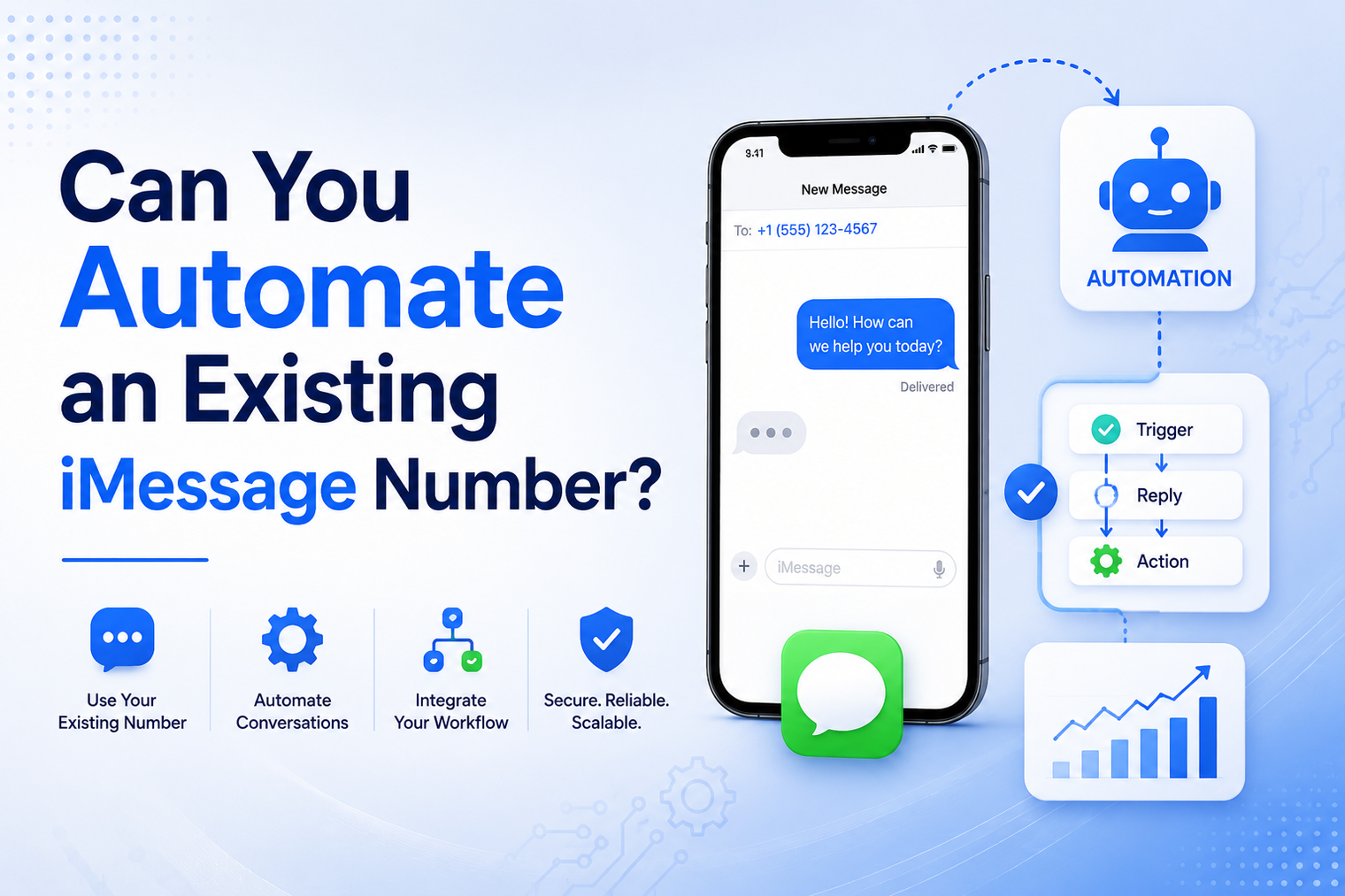
• Automating an existing iMessage number means adding programmatic sending, inbound routing and workflow logic to a number customers already recognize.
• The strongest model is hybrid: automation handles defined work while the owner or representative can still text manually.
• Every inbound message needs an ownership decision so an AI agent and a person do not reply at the same time.
• Bring-your-own-number automation works best for follow-up, qualification, routine answers, reminders and reply-triggered workflows.
• Consent, relevance, identity and opt-out handling still matter even when no new number is created.
A business number can carry years of customer recognition. Prospects have saved it, clients know who will answer, and employees have active conversations that should not be abandoned. Replacing that number with a new automation line may solve a technical problem while creating a trust problem.
The better question is whether automation can sit behind the number that already works. The answer is yes when the platform supports bring-your-own-number workflows and the implementation is designed for two-way messaging, manual coexistence, clear ownership and safe human takeover.
It means connecting a phone number that is already used for iMessage to a programmable messaging layer. Software can send from that line, receive inbound events and trigger actions while the number remains part of the business relationship customers already know.
MessageBlue describes this model as using your own iMessage number for automation. Supported numbers can send and receive through an API, route inbound messages to AI or custom logic, and continue to be used manually by the representative.
The automation should not behave like a hidden takeover of the phone. A well-designed system makes ownership visible, respects active human conversations and pauses when a person steps in. The goal is to remove repetitive work without damaging the context and trust attached to the line.
• Customers continue texting the number they already have.
• The founder or representative can keep sending normal manual messages.
• Existing relationship context remains attached to the familiar line.
• The same number can support inbound questions, follow-up and human conversation.
• The business can add workflow logic without asking every contact to save a new number.
What changes is the operating layer behind the conversation. Incoming messages can create events, trigger routing rules and update business systems. Outbound messages can be scheduled or generated from approved workflows instead of depending on someone remembering to type each one.
The business selects the existing iMessage number and completes the provider setup. The number is mapped to the correct user, team, workspace and permissions so the system knows who owns each conversation.
Connection requirements vary by provider and number type. Confirm the exact onboarding process, supported geography and operational limitations before promising a launch date.
When a customer texts the line, the platform sends the event to a webhook, configured agent or workflow. The event should include enough information to identify the number, sender, conversation and message.
The first application task is not to generate a reply. It is to decide whether automation is allowed to respond.
The system checks conversation state. It may respond automatically to a new FAQ, notify the representative about a high-value lead, or pause because a human is already active in the thread.
Ownership can be based on business hours, contact type, workflow stage, message intent, recent manual activity or an explicit human-takeover flag.
Custom logic can look up an order, collect lead details, schedule a reminder, update a CRM or ask a focused follow-up question. An AI agent can draft or send a response when its role and knowledge boundaries are clearly defined.
Nontechnical teams can also use a no-code iMessage agent builder for routine answering or qualification workflows before moving into custom code.
The platform sends the approved response from the connected number. The customer remains in the familiar conversation instead of receiving a message from an unrelated shared line.
The system records whether the reply was automated, AI-assisted or manual. That distinction is useful for auditing, reporting and future handoff.
The reply can change a lead stage, create a task, notify an account owner or close a routine support request. The conversation becomes part of the operating workflow instead of an isolated phone thread.
| Model | Strength | Weakness | Best use |
|---|---|---|---|
| Manual only | Human judgment, personal tone and flexible handling. | Easy to forget follow-up, difficult to measure and unavailable when the owner is busy. | Sensitive negotiations, complex service conversations and relationship moments. |
| Automation only | Consistent execution, fast response and 24-hour availability. | Can feel rigid and may respond incorrectly when context is unclear. | Narrow transactional updates and tightly controlled routine workflows. |
| Hybrid | Automation handles defined tasks while a person keeps authority over the relationship. | Requires clear ownership, pause rules and conversation state. | Sales follow-up, founder lines, service businesses, qualification and support routing. |
A founder may receive routine questions while in meetings or traveling. Automation can answer approved FAQs, collect context and schedule a response without pretending to handle conversations outside its scope.
A representative can automate quote reminders, demo follow-up and no-show recovery from the number the prospect already associates with that person. A reply can notify the rep and pause the sequence immediately.
An inbound lead can be welcomed, asked a short set of qualifying questions and routed to the correct employee. The workflow should preserve the full conversation so the human does not ask the lead to repeat everything.
Consultants, clinics, real estate teams and other service businesses can collect appointment preferences, basic requirements or document reminders before a person joins the thread.
Routine questions can be answered from approved information, while account-specific, sensitive or frustrated messages are transferred to a person with a concise summary.
A known number can send appointment confirmations, status changes and requested reminders. Messages should be relevant to the existing relationship and should not turn a trusted line into a broadcast channel.
For revenue teams, the same pattern can connect representative-level conversations to iMessage sales workflows and CRM activity so replies create the next pipeline action instead of remaining only on a phone.
The hybrid model is powerful because it preserves human access. It is also the place where poor design creates duplicate or contradictory replies. The system needs explicit coordination rules.
Every thread should have a current owner such as automation, a named representative or a support queue. Ownership changes should be recorded rather than inferred differently by several services.
When a representative sends a manual message or opens a takeover mode, automated replies should pause for a defined period. This prevents the system from interrupting a live negotiation or support exchange.
Any relevant inbound response should stop scheduled follow-up until the workflow decides what comes next. Continuing a sequence after the customer has answered is one of the fastest ways to make automation feel careless.
An AI agent should answer only within its approved role. Low-confidence, sensitive or unusual requests should create a clarification question or handoff rather than a confident guess.
The person taking over should see the recent messages, automation actions, collected fields and reason for escalation. A handoff is not complete if the customer must repeat the story.
Record who or what sent each message, which rule fired, what data was updated and when ownership changed. This protects both the customer experience and internal accountability.
Start with a specific problem such as quote follow-up, inbound qualification or routine appointment questions. Do not automate every conversation on day one.
Identify which contacts, conversation types and business events can enter the workflow. Exclude private, sensitive or unrelated conversations.
Decide when automation may respond, when it must notify a person and how a representative pauses or resumes the workflow.
Map the line to the correct user or team. Use role-based access so employees see and control only the numbers relevant to their work.
Verify webhooks, store event identifiers and process duplicate events safely. A customer reply should never disappear because an endpoint was briefly unavailable.
Connect the conversation to the CRM, scheduler, database or agent tool needed to complete the job. A reply should create an operational result, not only another message.
Run scenarios where the customer replies quickly, the representative takes over, two messages arrive together, the AI is unsure and the provider retries an event.
Begin with a small set of contacts or one team. Monitor false replies, missed handoffs, message timing and customer feedback before expanding.
| Risk | What can go wrong | Control |
|---|---|---|
| Duplicate replies | A webhook retry or overlapping worker sends the same response twice. | Use event IDs, idempotent processing and a send lock per conversation. |
| Human and AI conflict | A representative and automation answer at nearly the same time. | Use ownership state, recent-human-activity detection and takeover controls. |
| Wrong context | Automation responds to a private, sensitive or unrelated conversation. | Define eligible contacts and workflows, use allowlists where appropriate and provide a manual exclusion state. |
| Stale follow-up | A scheduled sequence continues after the customer has replied or the deal stage changed. | Stop sequences on inbound activity and reconcile with the CRM before every send. |
| Over-automation | The system handles emotionally sensitive or high-stakes conversations without judgment. | Create escalation categories and restrict automation to routine, reversible tasks. |
| Access after role changes | A former employee or reassigned representative retains control of a line. | Use identity management, timely deprovisioning and periodic permission reviews. |
| Consent failure | A familiar number is used for unexpected or excessive outreach. | Document the relationship, message purpose, frequency rules and opt-out handling. |
The operating model changes as more representatives are connected. A founder line may need one set of quiet hours and takeover rules. A sales fleet needs assignment, permissions, CRM ownership and reporting for every line.
| Question | Single owner number | Team number fleet |
|---|---|---|
| Who owns the relationship? | One founder, advisor or service professional. | A named representative, territory, account team or queue. |
| How is routing decided? | Usually by message type and owner availability. | By account ownership, lead routing, territory, stage and workload. |
| What must be reported? | Unanswered messages, handoffs and completed tasks. | Per-line activity, reply outcomes, ownership changes, CRM sync and team performance. |
| What is the main risk? | Automation interrupting a personal relationship. | Wrong-line sending, permission errors and inconsistent team behavior. |
Keeping the current number is not always the right answer. A new line can create cleaner boundaries when the business is launching a new brand, building a shared support operation, separating personal and company conversations or running a workflow with a different compliance and retention policy.
A new number may also be preferable when the existing line contains unrelated personal conversations that cannot be safely exposed to a business platform. Trust matters, but privacy and operational clarity matter more. The decision should follow the conversation type, not a general preference for old or new numbers.
MessageBlue positions bring your own number as a core workflow. The product page states that supported users can connect one existing iMessage number or multiple team lines, route inbound messages through retrying webhooks, send automated replies from the same line and continue texting manually.
Developers who need custom routing, databases or agent tools can use the MessageBlue iMessage API as the programmatic layer. Teams should verify the live onboarding process, supported numbers, integrations and channel behavior before implementation.
The most useful starting point is not a broad outbound sequence. It is one existing conversation flow where speed and consistency matter, the customer expects a response and the human owner remains easy to reach.
An existing number is valuable because it represents continuity. Automation should protect that value by responding faster, capturing follow-up and connecting replies to the right workflow. It should never make the customer wonder whether the person they know has disappeared behind a system.
Explore how MessageBlue can automate the iMessage numbers your team already uses while preserving manual texting and human control.
External references reviewed:
• Apple Support: About iMessage and using a phone number with iMessage
• MessageBlue Use Your Own Number, Sales, Agent Builder and API pages
• MessageBlue Terms of Service
Yes, when the platform supports manual coexistence. The implementation should still include pause and ownership rules so automation does not respond over an active human conversation.
Yes. Inbound events can be routed to an AI agent, rules engine or custom service. The agent should have a narrow role, approved knowledge and a clear human-handoff path.
In a bring-your-own-number workflow, the goal is to send from the connected number customers already recognize. Confirm the provider setup and supported number behavior before launch.
Some platforms support multiple representative numbers. A team deployment also needs line ownership, permissions, CRM mapping, offboarding and reporting.
Automation should pause, ownership should move to the person and pending sequences should stop. The employee should receive the conversation context and any information already collected.
No. The channel and number do not remove the need for expected, relevant and lawful communication. Avoid unsolicited mass messaging and provide appropriate identity and opt-out handling.
Inbound and reply-triggered workflows are often safer starting points because they begin with an active customer conversation. Outbound automation should be added only after eligibility, timing and stop rules are clear.
Connect any LLM to a real blue-bubble number and go live in minutes.
Deploy an Agent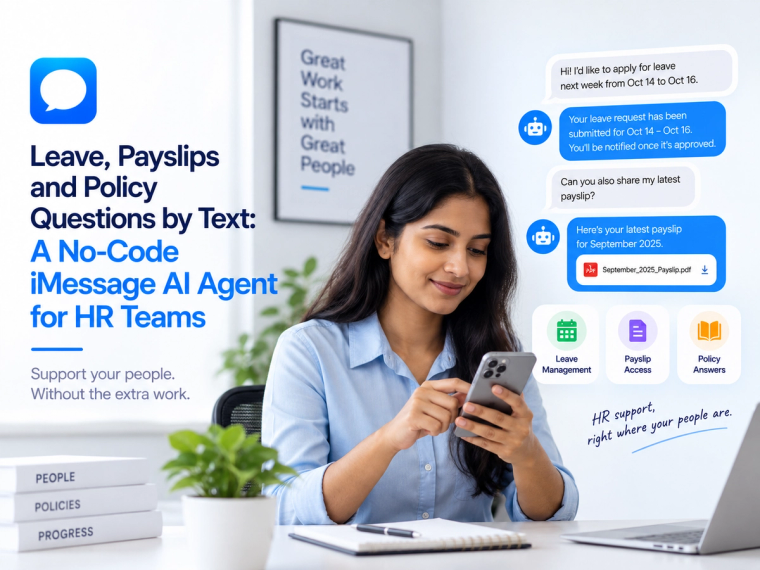
See how a no-code iMessage AI agent can answer leave, payslip, policy and onboarding questions using live HR data, approved knowledge and clear access controls.
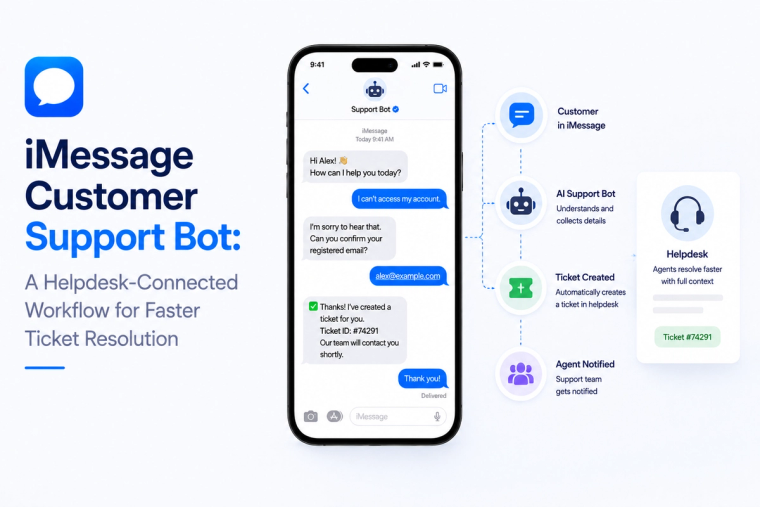
Design an iMessage customer support bot that reads helpdesk data, creates tickets, handles status questions and escalates complex cases with full conversation context.
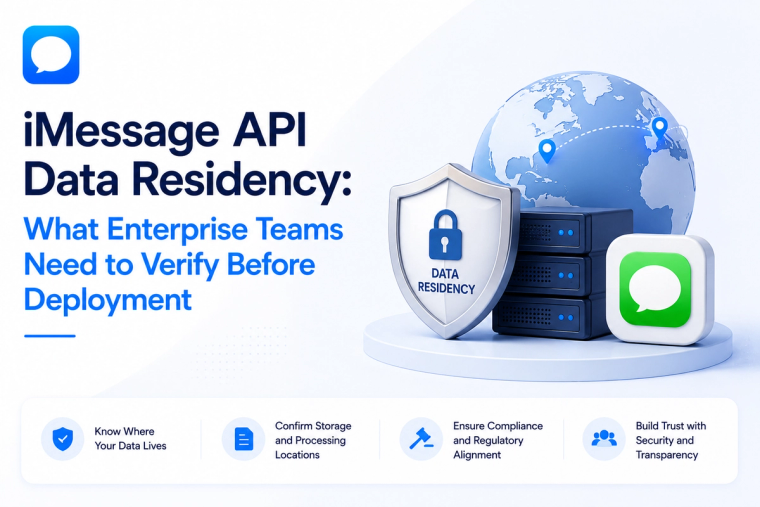
Evaluate iMessage API data residency across message content, logs, backups, keys, model providers, integrations and deployment boundaries before enterprise rollout.