iMessage CRM Integration for Field Sales: Let Reps Update Pipeline by Text
Learn how an iMessage CRM integration can help field sales reps query deals, log calls, update stages and create next steps by text without adding more CRM admin.
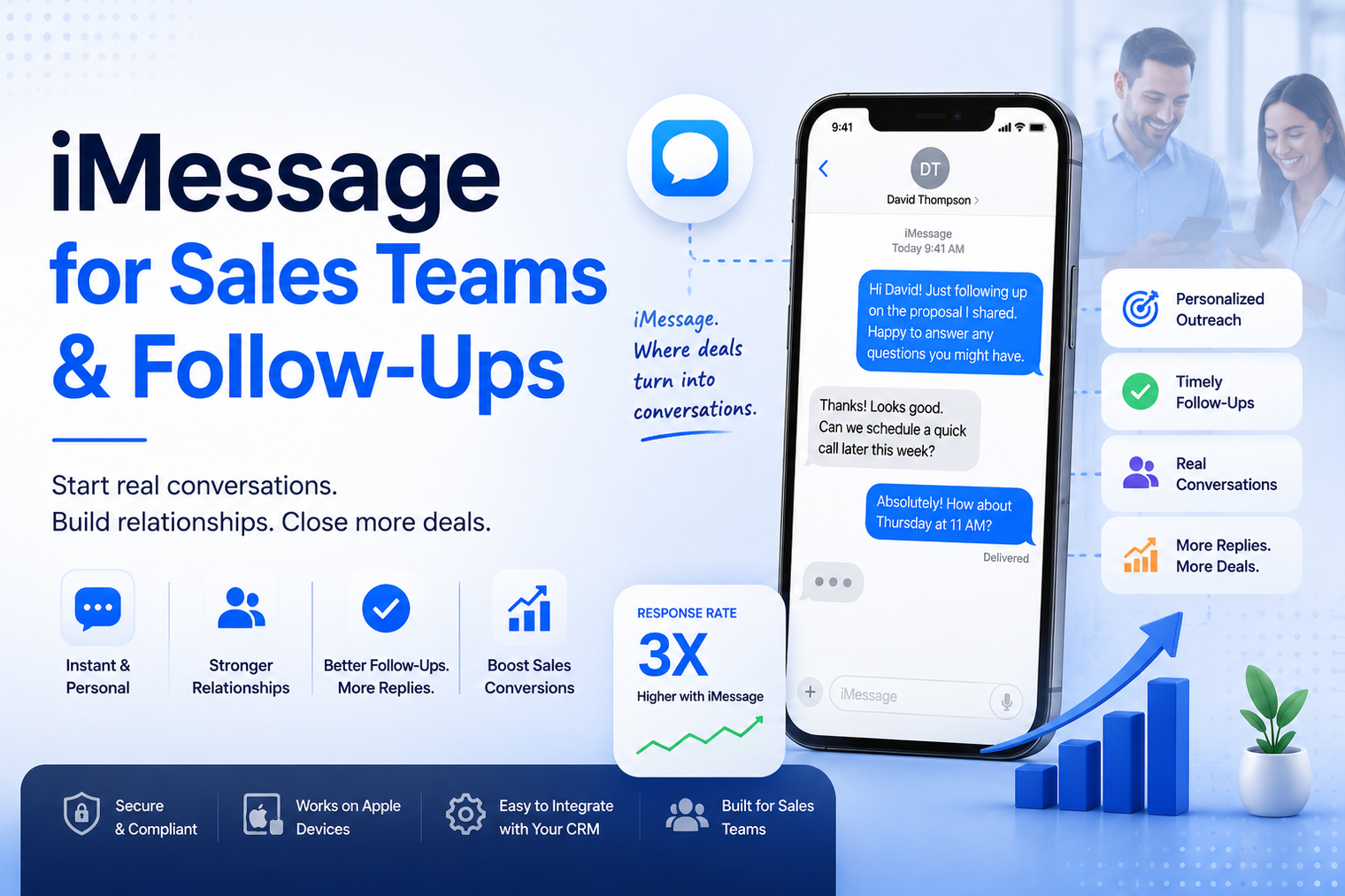
Most sales teams still chase leads through channels prospects barely open. iMessage for sales teams flips that problem, since blue bubble messages get read and answered far more often than cold email or plain SMS. With MessageBlue's sales platform, reps can turn iMessage into a structured follow-up channel instead of a one-off text sent from a personal phone.
Email open rates for cold outreach typically sit in the low single digits once you account for spam filters and inbox fatigue. Standard SMS performs better but still lands in the five to ten percent reply range for most sales sequences. iMessage regularly produces reply rates between thirty and forty five percent, since it arrives as a blue bubble from what looks like a saved contact rather than an unfamiliar short code.
A blue bubble carries a different weight than a green SMS text or a promotional email. Recipients associate it with people they already know, which lowers their guard and makes them more willing to reply quickly. That perception advantage is a large part of why iMessage sales automation has become a serious channel rather than a novelty.
iMessage sales automation refers to software that sends, receives, and tracks iMessages on behalf of a sales team, usually triggered by events in a CRM such as a new lead, a stage change, or a scheduled reminder. Instead of a rep manually texting from their own phone, the platform manages dedicated numbers, applies templates and personalization, and logs every reply back to the contact record. This turns a channel that was previously manual and inconsistent into a repeatable part of the sales process.
The shift matters because manual outreach does not scale evenly across a team. One rep might diligently follow up four times over two weeks while another sends a single message and moves on. Automation removes that inconsistency by applying the same cadence and quality bar to every lead, regardless of how busy an individual rep is on a given day.
The first response to a new inquiry has an outsized effect on conversion. Reaching a lead within minutes rather than hours dramatically increases the odds of a reply. Automated iMessage lead follow-up can fire the moment a form is submitted, before the prospect has moved on to a competitor.
Contacts who went quiet after an initial conversation are not necessarily lost. A short, low-pressure text often reopens a conversation that a fourth or fifth email would never revive. Many teams run a scheduled re-engagement sequence for leads that have been inactive for two or more weeks.
No-shows are one of the most common reasons a pipeline stalls. A same-day reminder sent by text, timed a couple of hours before the call, measurably reduces missed meetings compared to relying on a calendar invite alone.
The same channel that works for closing a deal also works after the sale. A brief check-in a few weeks after onboarding, or a referral request tied to a positive milestone, tends to feel like a natural conversation rather than a marketing blast when it arrives as a text instead of an email.
An iMessage CRM integration connects your messaging platform to the system where deal and contact data already lives, so reps never have to leave their normal workflow to send or review a text conversation.
A HubSpot iMessage integration typically lets a workflow trigger a text based on a property change, such as a lead moving into a new lifecycle stage, and then writes the message and any reply back onto that contact's timeline. This keeps a full record of every touchpoint in one place instead of splitting the conversation history across a separate texting app.
Beyond HubSpot, similar patterns apply to Salesforce, GoHighLevel, and other CRMs. The goal is the same regardless of platform: every inbound and outbound message should attach to the right contact automatically, so managers can review conversation history without asking a rep to forward screenshots.
Decide which CRM events should start a sequence, such as a new lead, a missed call, or a deal sitting untouched for a set number of days.
Keep the opening text brief and specific to the lead's situation. A generic, obviously templated message is easy to spot and easy to ignore.
A common pattern for warm leads is a message on day one, day three, day seven, and day fourteen, spacing messages out so the sequence feels considerate rather than aggressive.
Any response should notify the assigned rep immediately and pause the automated sequence, so a real conversation never gets interrupted by a scheduled follow-up text.
The table below compares typical performance across the channels most sales teams already use.
| Channel | Typical Reply Rate | Delivery Speed | Best For |
|---|---|---|---|
| iMessage | 30% to 45% | Seconds | Warm leads, time-sensitive follow-up |
| Standard SMS | 5% to 10% | Seconds | Broad reach across all phones |
| 1% to 5% | Minutes to hours | Long-form content, documentation | |
| Phone call | Varies, often low pickup | Immediate if answered | High-value, complex deals |
iMessage outreach is generally subject to the same rules that apply to SMS and phone outreach, including consent requirements under regulations such as TCPA. Before sending automated messages to leads, confirm that your organization has a lawful basis for contact, whether that comes from an opt-in form, an existing business relationship, or another accepted method. A compliant sales follow-up automation program should also make it simple for a recipient to opt out at any time, and that request should be honored immediately across every future sequence.
It is worth documenting where each list of contacts came from and keeping that record alongside your CRM data. If a compliance question ever comes up, being able to show exactly how and when a lead consented to contact will save time and reduce risk. Many platforms include built-in opt-out handling so a single reply containing a stop keyword automatically removes the contact from future automated messages.
Reply rate alone does not tell the full story. Track how many automated conversations convert into a booked meeting, and how that compares to your baseline email or cold call numbers. It also helps to measure how much faster leads move through your pipeline once speed to lead improves, since a shorter response time often shortens the entire sales cycle rather than just improving the first touch. Reviewing these numbers monthly makes it easier to spot which sequences are working and which templates need to be rewritten.
Teams that follow these habits while using a dedicated iMessage sales automation platform tend to see more consistent results than those sending manually from an individual rep's phone.
Adopting iMessage for sales teams is less about replacing existing channels and more about closing the gap between when a lead shows interest and when they actually hear back. If your team is ready to build a structured, CRM-connected follow-up process, you can explore MessageBlue's sales tools and set up your first automated sequence.
No. Most platforms handle message sending and receiving through dedicated numbers and a web or desktop dashboard, so reps do not need to use their personal iPhone to send or track messages.
It generally works best alongside email rather than as a full replacement. Email still suits longer content like proposals and detailed documentation, while iMessage is stronger for quick, time-sensitive touchpoints.
A regular text is sent manually and lives only on a rep's phone. An automated follow-up is triggered by CRM activity, logged automatically, and often part of a scheduled multi-message sequence.
Most platforms detect whether a number supports iMessage and automatically fall back to standard SMS, so the contact still receives the message even without an Apple device.
Setup usually involves connecting an account and mapping a workflow trigger, which most teams can complete without developer support. More advanced customizations may need additional configuration time.
Most effective sequences for warm leads use four to six messages spread across two to three weeks. Cold outreach should stay lighter, typically one initial message followed by a single reminder, so the sequence respects the prospect's attention rather than wearing it down.
Connect any LLM to a real blue-bubble number and go live in minutes.
Deploy an Agent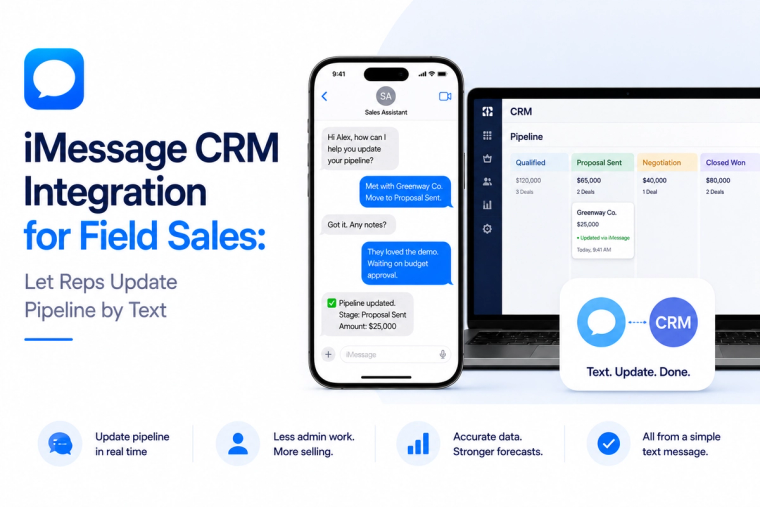
Learn how an iMessage CRM integration can help field sales reps query deals, log calls, update stages and create next steps by text without adding more CRM admin.
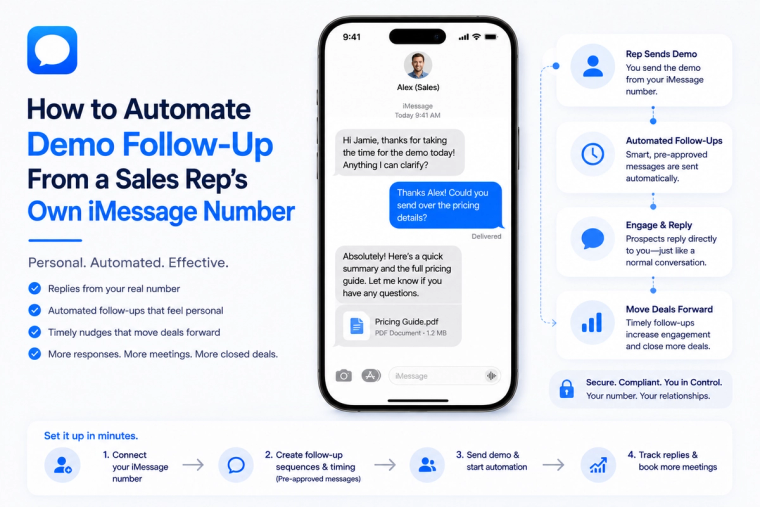
Build an automated demo follow-up workflow that sends from a sales rep's existing iMessage number, handles replies, updates the CRM and books the next step.
MessageBlue vs SendBlue vs LoopMessage vs BlueBubbles — an honest breakdown of the iMessage API landscape, and how to pick the right one for reliability, spam protection and enterprise isolation.