How to Automate Demo Follow-Up From a Sales Rep's Own iMessage Number
Build an automated demo follow-up workflow that sends from a sales rep's existing iMessage number, handles replies, updates the CRM and books the next step.
Sales teams rarely lose CRM data because nobody cares about it. They lose it because the moment when a rep learns something useful is often the worst possible moment to open a CRM. The rep is walking out of a meeting, sitting in a taxi, moving between calls, or standing in a hallway with thirty seconds before the next conversation. By the time the CRM is open again, details are shortened, delayed, or forgotten.
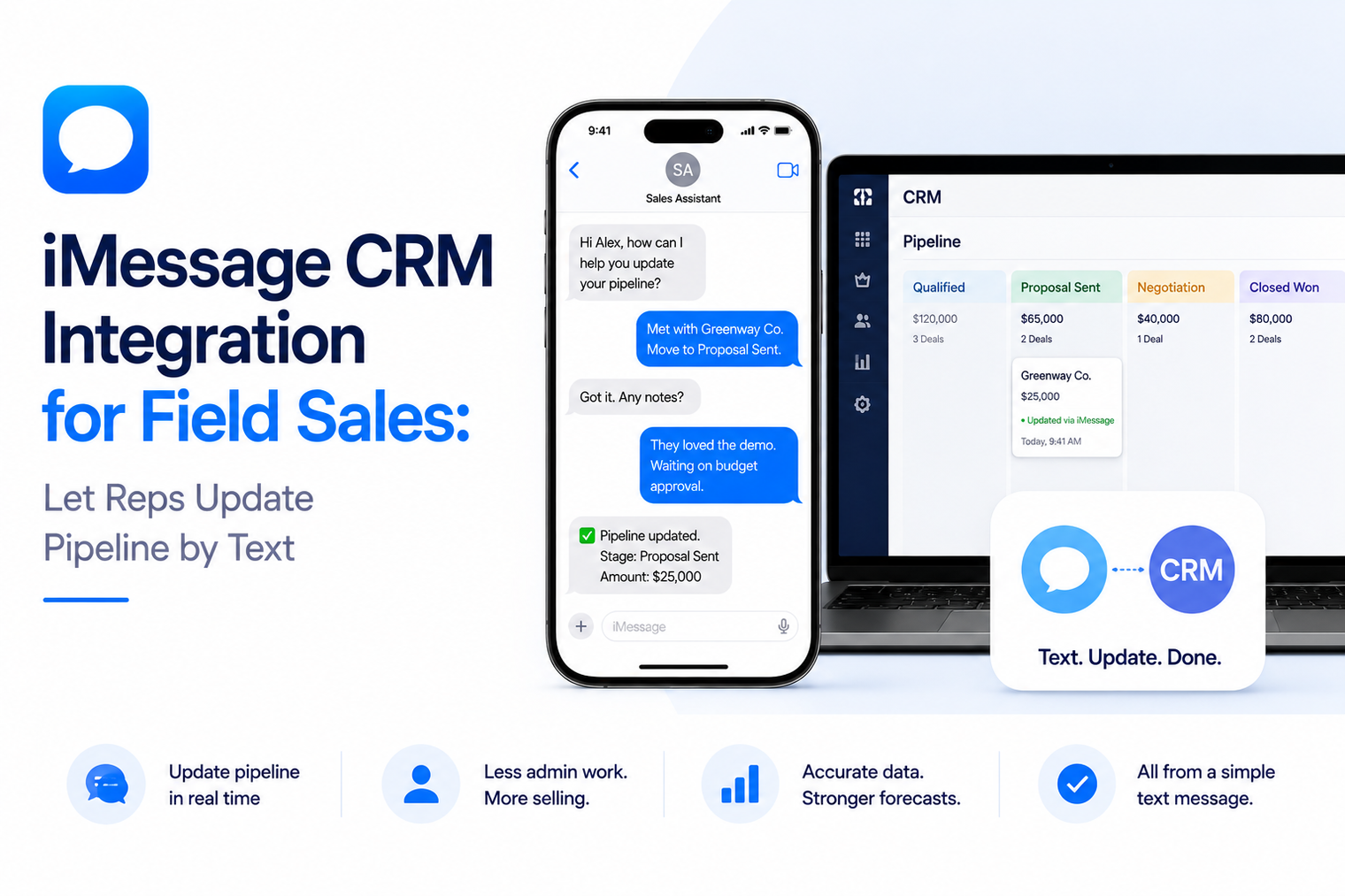
That is why an iMessage CRM integration can be more useful when it is designed as a working interface for the rep, not only as a channel for sending messages to prospects. A rep should be able to text a trusted number to ask what changed, record what happened, move a deal forward, and create the next action while the context is still fresh.
This article focuses on that rep-side workflow. It is not another guide to outbound sequences. The goal is to make CRM usage easier at the exact moment sales information is created.
A useful integration should let an authenticated sales rep perform a small set of high-value CRM actions through a conversation. The strongest starting actions are simple: look up a lead or deal, read the latest status, log a call or meeting, update a field, create a follow-up task, and confirm what was written.
· Read: show the rep the right record, owner, stage, next step and recent activity.
· Write: turn a short message such as “called Dana, no answer” into a structured activity record.
· Act: create a task, change a deal stage or add a note only when the instruction is clear and permitted.
· Confirm: tell the rep exactly what changed so the text thread becomes an audit-friendly interaction, not a black box.
The design principle is simple: reduce CRM friction without reducing CRM discipline.
CRM systems are built around records. Sales work is built around moments. Those two things do not always line up. A buyer mentions a budget concern during a call. A founder introduces a referral at an event. A procurement lead asks for security information after a demo. The rep receives the signal now, but the system of record may not receive it until later.
The delay creates several predictable problems. Notes become vague. Next steps are stored in a rep’s memory. Managers see an old stage and assume the deal is stalled. Another team member follows up without knowing what already happened. Forecast calls then become a manual reconstruction exercise.
Traditional mobile CRM apps help, but they still require navigation, record search, field selection and form completion. For many actions, a text command can be faster because the rep already knows the fact that needs to be captured. The interface should get out of the way.
A common architecture mistake is to treat every iMessage workflow as customer-facing. There are actually two different conversation directions, and they should have different rules.
| Workflow | Who is texting? | Primary job | Main control |
|---|---|---|---|
| Customer-facing | Prospect or customer | Answer, qualify, follow up, schedule | Consent, relevance, brand voice, escalation |
| Rep-facing | Sales representative | Read and update CRM data | Identity, permissions, write confirmation, audit trail |
Customer-facing automation optimizes the buying conversation. Rep-facing automation optimizes internal execution. Mixing the two permission models can create unnecessary risk. A customer should not gain access to internal deal notes. A rep should not be able to change records outside the scope of their CRM permissions simply because they can text the agent.
Natural language is useful, but the underlying system should still think in structured action categories. Four categories cover most of the value without turning the agent into a general-purpose CRM replacement.
The rep asks for information that already exists. Examples include “What came in overnight?”, “What is the latest on Northwind?”, “Which deals have no next step?”, or “Who do I need to call today?” The agent resolves the intent, calls the CRM through the rep’s authorized connection, and returns a concise answer.
The reply should be optimized for the phone. A list of twenty fields is not useful. A strong result shows the few facts needed for a decision: contact, company, stage, last activity, next task and any blocker that has been explicitly recorded.
This is where conversational CRM can remove the most friction. A rep should be able to text “log a call with Dana, no answer” or “met Chris at the conference, interested in enterprise deployment, follow up Thursday.” The agent can translate the message into a structured activity record and ask for clarification only if a required field is missing.
Avoid making the rep retype information the CRM already knows. If there is only one open Dana record owned by that rep, the system should use context. If there are three possible contacts, it should ask which one before writing anything.
Record updates deserve more caution than notes because they can affect reporting, routing and forecasts. For low-risk fields such as next-step text, a simple confirmation may be enough. For high-impact changes such as deal stage, close date, owner or amount, the agent should repeat the intended change and request confirmation before committing it.
A good confirmation is specific: “Move Northwind from Evaluation to Procurement and set the close date to September 30?” That is much safer than “Update the deal?”
Sales information has little value if it does not produce the next move. The rep should be able to create a task, schedule a reminder, request a follow-up, or notify a teammate. This is where internal CRM workflow can complement broader iMessage sales automation without forcing every action into an outbound sequence.
For example, after logging a missed call, the agent can ask whether to create a task for tomorrow. The rep remains in control, but the next step is captured before the moment disappears.
A CRM agent is only useful when the system knows who is asking. The safest model is not “one bot account can see everything.” It is “each rep acts through their own authorized CRM identity.” That lets the integration respect existing role permissions and record ownership rules.
MessageBlue’s current CRM integration model supports both shared company connections and user-level connections. The exact design should match the organization. A founder-led team with a common pipeline may prefer one shared connection. A larger sales organization may need each rep to connect their own account so every query and update is scoped correctly.
The phone number itself can also be part of identity, but it should not be the only control for sensitive actions. Authentication, token scope and CRM-side permissions still matter.
The best rep-facing agent does not try to understand every possible sentence. It recognizes a controlled set of business intents and then uses natural language to make those intents easy to express.
| Rep message | Detected intent | System action |
|---|---|---|
| “What changed on Acme?” | Record query | Fetch recent activities and stage |
| “Log that I called Dana, no answer.” | Activity write | Create call activity |
| “Move Northwind to procurement.” | Stage update | Confirm, then update stage |
| “Remind me to call Friday morning.” | Task creation | Create follow-up task |
| “Who has no next step?” | Pipeline query | Return owned deals missing a task |
This structure makes behavior testable. Product and RevOps teams can write expected outcomes for each intent, define required confirmations, and track where the agent fails.
The agent should never silently alter the CRM. After a successful write, it should report what changed. If the CRM rejects the request, the agent should say that nothing was changed and provide a clear next step.
This matters because conversational interfaces feel informal. The back-end action is not informal. Updating a deal stage can change a forecast. Creating a task can trigger an automation. Reassigning a record can change ownership. The conversational layer must preserve the seriousness of the system action.
Some teams want the same familiar line to support both customer conversations and rep-side automation. That is possible when the workflow is designed with clear routing. Teams exploring how to automate an existing iMessage number should separate messages intended for customers from commands intended for internal systems, and define what happens when a human is actively texting from the same line.
For many organizations, a dedicated internal agent number is simpler. Reps text one contact to work the CRM, while their own lines remain customer-facing. The right choice depends on the operating model, not on novelty.
CRM data has edge cases. Names collide. Contacts move companies. Deals reopen. A rep can refer to “the Acme deal” when there are three open opportunities. The agent should never guess through these cases just to feel fast.
A strong workflow asks the smallest possible clarification question. It also uses idempotency or duplicate protection for write actions so a retried message does not create the same note or task twice. If a command refers to information that has changed since the last message, the system should fetch the current record again before applying an update.
A business team may not need custom engineering for the first version. MessageBlue currently supports a no-code AI agent builder that can connect business tools and let users interact through iMessage. This is well suited to bounded CRM tasks where the required actions already exist in the connected app.
A developer route becomes more useful when the company needs custom authorization, proprietary scoring, complex routing, internal data joins, bespoke approval steps or a deeply controlled event model. In that case, a two-way iMessage API can provide the messaging transport while the company keeps the business logic in its own application.
Do not begin with “let reps control the entire CRM by text.” Begin with the three actions that create the most administrative friction and the least risk.
The success metric is not the number of texts sent to the CRM agent. The goal is better operational data with less rep effort.
If usage is high but corrections are also high, the interface is creating more work. If usage is modest but next-step completeness improves, the workflow may already be doing its job.
MessageBlue positions iMessage as an interface to real business systems, not only as a broadcast channel. For CRM workflows, teams can connect systems such as Salesforce, HubSpot or Pipedrive to an iMessage agent, choose whether the connection is shared or user-specific, and let reps read or update authorized data from a conversation. The same platform also supports existing-number automation and a developer API when the workflow needs custom logic.
That makes the product decision less about “Can we send a blue bubble?” and more about “Which part of the sales operating system should become available through a text thread?” The second question produces much more useful automation.
The best CRM workflow is the one a rep will actually use in the thirty seconds after a customer interaction. iMessage can become that lightweight interface when the system is narrow, permission-aware and explicit about every write. Start with a few trusted actions, make confirmations clear, and measure whether the pipeline becomes more current with less administrative effort.
Yes, when the connected CRM exposes the required actions and the integration is authorized to perform them. A production design should distinguish read actions from write actions and add confirmation for changes that affect reporting, ownership or forecasts.
No. Customer follow-up is one use case. A rep-facing CRM agent is different because the representative texts the agent to read or update internal CRM data. The two workflows can coexist, but they need different permission and routing rules.
Not always. A small team may use one shared company connection. Larger teams often benefit from user-level connections because CRM permissions and ownership rules can be preserved for each rep.
Start with low-risk, high-frequency actions such as record lookup, logging calls or meetings, and creating follow-up tasks. Add stage, amount, owner or close-date changes only after confirmation and audit behavior is proven.
Yes, if the deployment supports existing-number automation and the routing model is designed for manual coexistence. Teams should still define ownership rules so internal commands, automated customer replies and human messages do not collide.
Connect any LLM to a real blue-bubble number and go live in minutes.
Deploy an Agent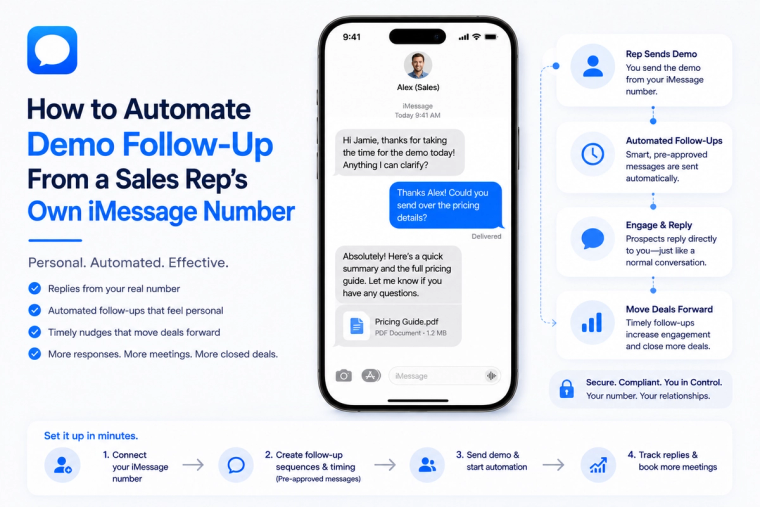
Build an automated demo follow-up workflow that sends from a sales rep's existing iMessage number, handles replies, updates the CRM and books the next step.
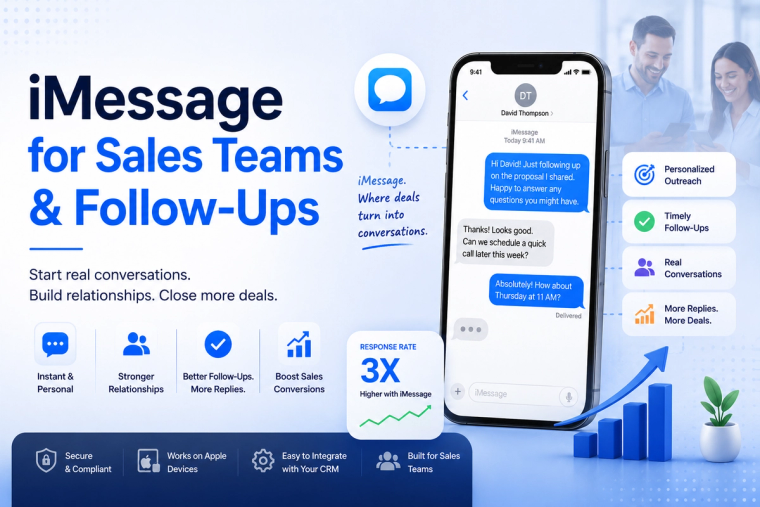
Send personalized iMessages from your sales workflow, automate follow-ups and sync replies with your CRM so representatives can keep conversations moving.
MessageBlue vs SendBlue vs LoopMessage vs BlueBubbles — an honest breakdown of the iMessage API landscape, and how to pick the right one for reliability, spam protection and enterprise isolation.